lhttps://www.youtube.com/watch?v=uQyG3V7B2pw
Summary
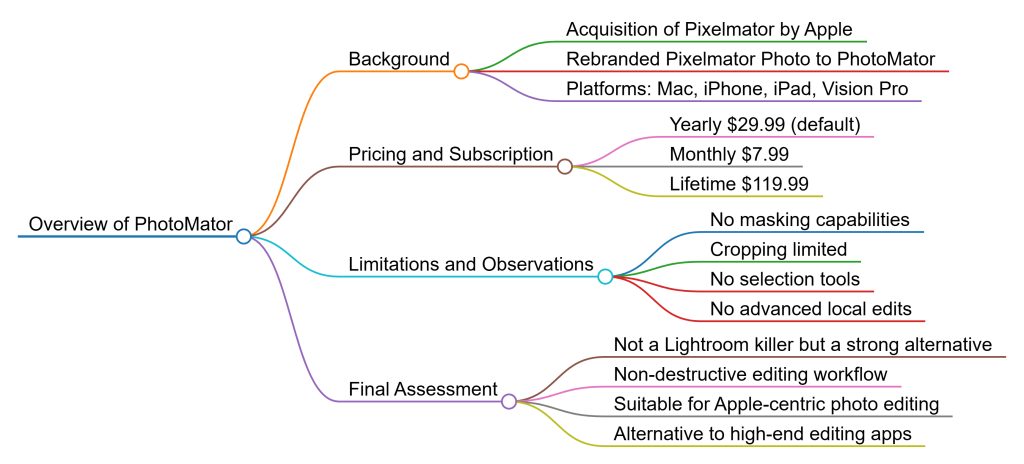
Anthony Morganti reviews Photomator (formerly Pixelmator Photo), Apple’s rebranded photo editor now on Mac, iOS, iPad, and Vision Pro. The app is subscription-based ($7.99/month, $29.99/year, $119.99 lifetime), with occasional unconfirmed discounts. Morganti demonstrates importing RAW files, applying ratings/flags, AI noise reduction, cropping, auto-adjustments, and tonal/color editing. Features include ML-based auto tools, curves, levels, LUTs, vignettes, sharpening, and AI super-resolution.
Limitations include weaker noise reduction compared to Lightroom/Topaz/DxO, clunky crop ratios, limited black-and-white controls, and notably, no masking tools. Export supports JPEG, PNG, TIFF, HEIC, AVIF, and EXR. Edits are non-destructive with revert-to-original available.
Morganti concludes that Photomator is a solid editor but not a true Lightroom killer.
Key Points
- Apple rebranded Pixelmator Photo into Photomator.
- Pricing: $7.99/month, $29.99/year, $119.99 lifetime.
- Imports from Photos library or folders; supports RAW.
- File management: star ratings, flags, reject/undo keys.
- Editing tools: AI noise reduction, cropping, repair/clone, auto-adjust ML tools, tonal & color sliders, LUTs, vignette, sharpening, grain.
- AI super-resolution doubles image size.
- Export: JPEG, PNG, TIFF, HEIC, AVIF, EXR.
- Edits are fully non-destructive.
- Missing features: local adjustments/masking, advanced B&W mixing.
Key Takeaways
- Photomator is capable, affordable, and easy to use across Apple platforms.
- Strong AI tools but weaker in noise reduction vs Lightroom/Topaz/DxO.
- Cropping and black-and-white tools are limited compared to competitors.
- Lack of masking is a major drawback for advanced editors.
- Suitable for casual to intermediate users, but not a Lightroom replacement for professionals.
Conclusion
Photomator offers a polished, Apple-integrated alternative to Lightroom with solid tools, affordability, and non-destructive workflow. However, its limited noise reduction, crop flexibility, and lack of masking prevent it from being a true “Lightroom killer.” It’s best for those wanting a capable editor without subscribing to Adobe but willing to subscribe to Apple.