
September – Month in Review
This is the third ‘Month in Review’ and we’ve split it into sections so you can quickly get an overview and ‘drill down’ from there, as always feedback is welcomed.
Read more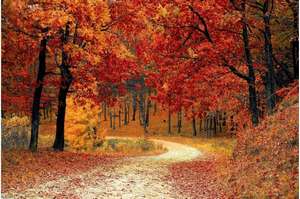
This is the third ‘Month in Review’ and we’ve split it into sections so you can quickly get an overview and ‘drill down’ from there, as always feedback is welcomed.
Read more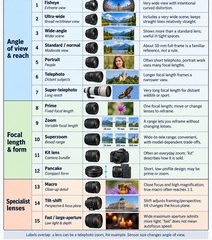
This guide covers 15 familiar camera lens types, selected for learning rather than ranked by sales or popularity.
Read more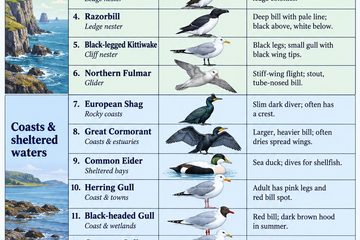
Scotland’s shores host around 24 regularly breeding seabird species. This guide selects 15 familiar of the more species found at colonies or along the coast.
Read more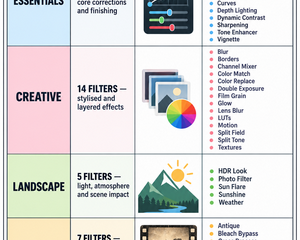
Start with Essentials for core tone, colour, detail and finishing adjustments. Move to Creative when you want a deliberate look—such as film grain, LUT grading, blur, textures or double exposure. Use Landscape filters for atmosphere and environmental impact, including HDR Look, Sunshine and Weather. Legacy collects older, more specialised effects.
Read more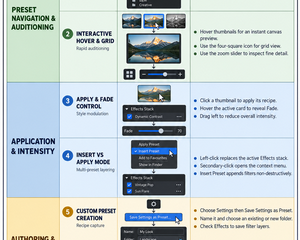
Individual filters remain visible in the Effects stack, where their settings can be inspected and changed.
Read more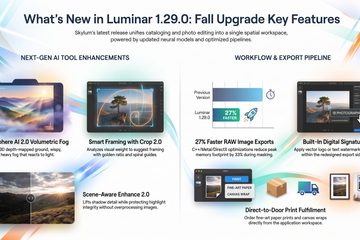
Skylum has officially released Luminar Version 1.29.0 (designated as the Fall Upgrade 2026, launching October 28, 2026). This update marks a significant milestone, following Skylum’s strategic decision to retire the “Neo” suffix and consolidate its product line under the singular brand name Luminar.
Read more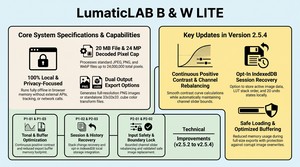
B & W Lite is a streamlined, offline image processing FOUNDATION tool designed to help beginners understand how to convert photographs into monochrome masterpieces using a precise, unified transformation engine.
Read more
Similar to Adobe’s Photoshop Colour Picker and has saved us quite a lot of time when creating the website and documenting our apps.
Read more
The UPDATED Interactive Image Analyst , a FREE browser-based diagnostic tool designed by LumaticLAB to help photographers identify technical flaws supports the further development of the basic editing .
Read more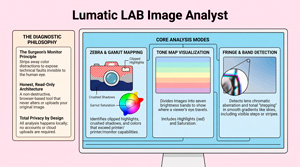
The UPDATED Interactive Image Analyst is a FREE browser-based diagnostic tool designed by LumaticLAB to help photographers identify technical flaws without altering the original file..
Read more
Unlike generic editors, this standalone tool allows you to transform any Adobe Swatch into a professional-grade 3D LUT (.cube). It’s lightweight, fast, and engineered specifically for power users who demand precision on any device, including Chromebooks.
Read more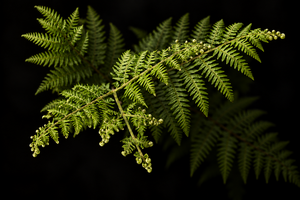
Fern Fiddleheads – Never eat raw: Eating raw or undercooked fiddleheads causes acute stomach sickness, nausea, vomiting, and diarrhea..
Read more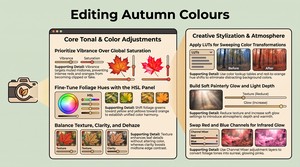
Photographers can enhance their Autumn (Fall) images in the field by utilizing specialized filters like circular polarizers to reduce glare, neutral-density filters for long exposures of moving water, and graduated filters to balance bright skies with darker foregrounds. To achieve a luminous glowing effect, practitioners can either position foliage directly between the camera and the sun for natural backlighting or employ advanced digital editing workflows.
Read more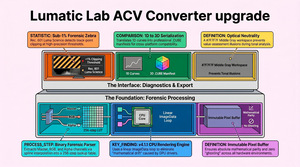
The application is aimed at photographers, editors and small creative teams who need a reliable way to move acv file tonal adjustments between platforms without variation.
Read more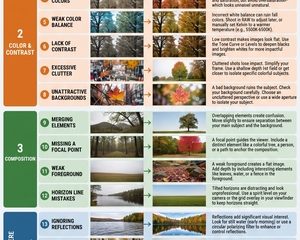
The first golds appear quietly in the birch woods of The Trossachs, and soon the beech forests of Perthshire flare into deep copper and rust, turning paths at The Hermitage, The Birks of Aberfeldy, and along the River Tummel into glowing corridors of history and light. Farther north, Glen Affric and Glen Nevis show why they are considered among the finest glens in the Highlands, with ancient pines, calm lochs, and hillsides. BTB – the deer rutting season also starts late September and runs through early November for major UK species like red and fallow deer.
Read more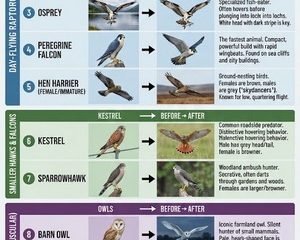
Raptors in Scotland face many conservation threats, including illegal persecution, habitat change or loss, declining prey populations, windfarms and climate change.
Read more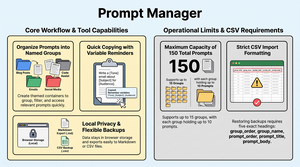
Managing a growing library of prompts shouldn’t feel like a chore. Today we are releasing LumaticLAB’s Prompt Manager, a sleek, browser-based organizer designed to keep your creative prompts structured and secure.
Read more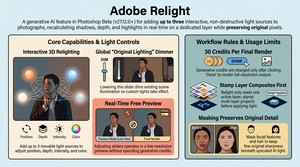
Relight enables creators to place up to three interactive, non-destructive, and fully movable light sources onto an image. Instead of painting a flat digital glow, the tool recalculates ambient geometry, light attenuation, and directional shadows across the subject in real time.
Read more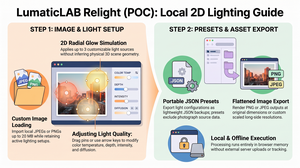
LumaticLAB Relight’s non-destructive, offline-first engineering demonstrates how smart, minimal web utility design can deliver fast, private editing directly in the browser. By ditching cloud dependencies and heavy processing, it sets a clean, efficient standard AND Lower costs.
Read more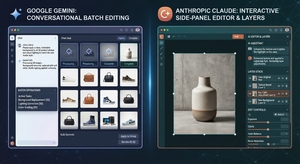
Gemini’s Adobe integration focuses on high-speed conversational orchestration across Photoshop, Lightroom, Adobe Express, and Firefly.
Read more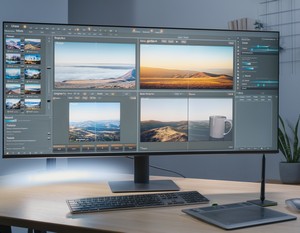
Use chat-based agents for quick first drafts, volume batching, and routine cleanup. Switch to standalone Photoshop or Lightroom desktop apps for precise channel masking, pixel-level retouching.
Read more
This bundle will raise awareness and funds for several incredible charities, with a special spotlight on the DGL4 SHINE Foundation—supporting families impacted by a rare genetic condition close to our hearts.
Read more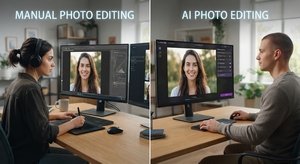
Can AI learn your editing style and then edit a raw file in Lightroom using the same sliders and masks.
Read more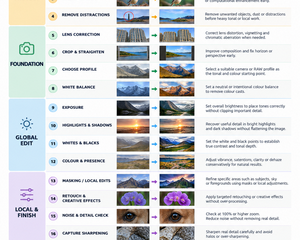
Photo editing is all about optimising your photos. You don’t have to change your pictures completely; even small basic changes / edits can improve the image effect and optimise your photo.
Read more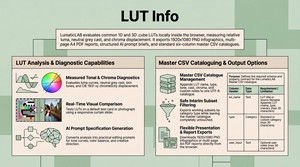
LumaticLAB LUT Analysis examines a common cube LUT locally in the browser. It can create a 1920 by 1080 infographic, a four-page A4 report, an enlarged diagnostic viewer, a structured AI prompt and a sort-able master CSV catalogue dependant on the User.
Read more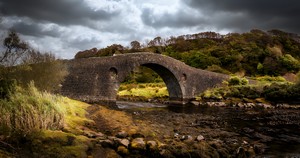
Foreground geometry and detail remain intact. • No obvious halos or cut-out edges around trees, branches or the bridge. • The replacement sky sits naturally in the scene. • Foreground light and colour respond plausibly to the new sky. • The result reads as one continuous photograph.
Read more
The September 2026 update introduces over 60 new features, focusing on finer creative control, workflow automation, and enhanced photography tools.
Read more
ConservationLAB was created as short or vague prompts forces generative AI models to fill in missing context using statistical averages and training defaults, which frequently produces generic clichés, unpredictable compositions, or visual and factual errors.
Read more
Every class in PROJECT PHOTOSHOP is project-based. Instead of simply demonstrating a collection of tools and techniques, our instructors will take you through a complete creative project from start to finish.
Read more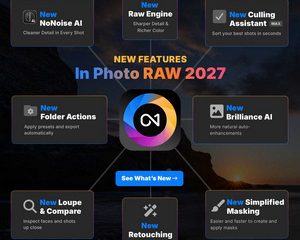
ON1 2027 Announcement
** New RAW Engine for sharper detail and richer color
** Remastered NoNoise AI for cleaner detail in every shot
** New Culling Assistant in MAX – sort your best shots in seconds
** Smarter Brilliance AI for more natural auto-enhancements
** New Retouching for faster and more realistic results
** Simplified Masking – easier and faster to create and apply masks
** New Loupe & Compare to inspect faces and shots up close