Adobe Camera Raw (ACR) 19.0 Updated – 5 Key Features
Adobe Camera Raw 19.0 goes beyond surface-level AI hype to deliver massive practical upgrades that may revolutionize your photo editing workflow. By breaking core features free from uncompressed file limits, this release streamlines everyday image processing for digital editors and working photographers alike.
Top 5 Takeaways
- AI Denoise Escapes the RAW File Restriction:
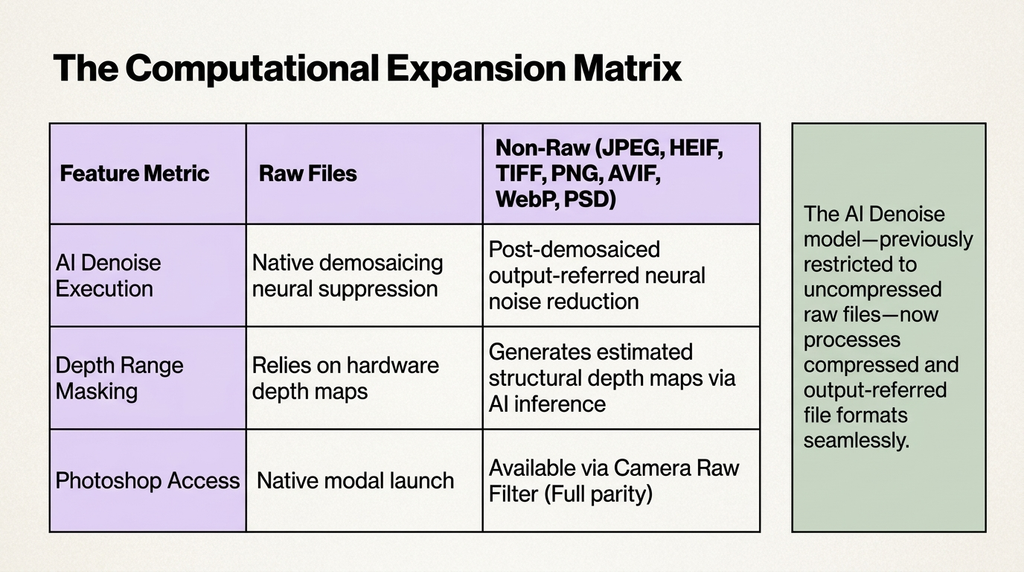
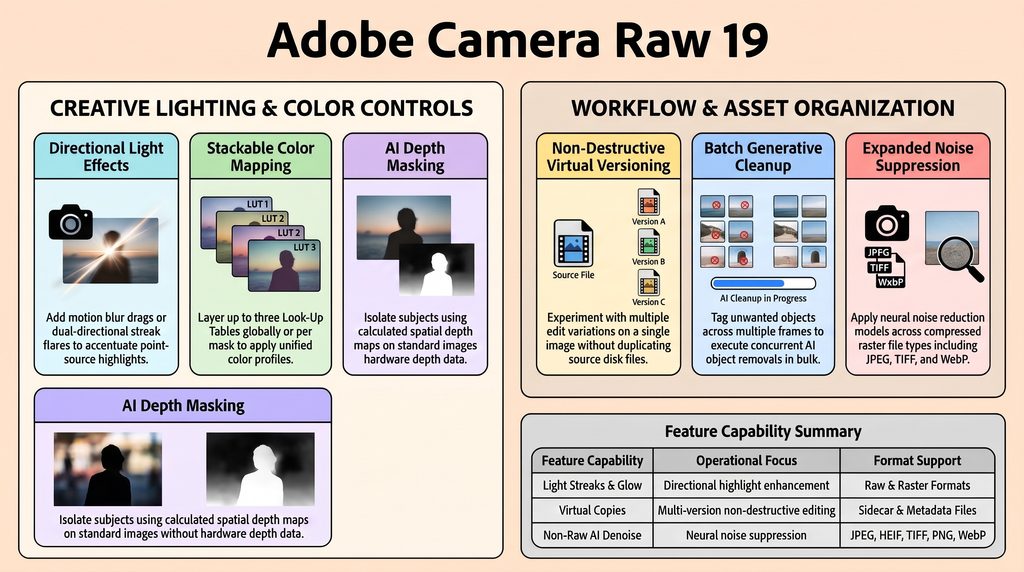
The deep-learning AI Denoise model – previously restricted to uncompressed RAW files – now officially processes post-demosaiced raster formats, including JPEG, HEIF/HEIC, TIFF, PNG, AVIF, JPEG XL, WebP, PSD/PSB, and output-referred DNGs. It also functions inside the Photoshop ACR Filter using the Detail panel controls. This allows high-level neural noise reduction across legacy photo archives, mobile captures etc. - Deferred Batch AI Cleanup via “Mark to Remove”:
Editors can tag unwanted objects using the Remove brush while holding theAltkey, creating persistent black masks in metadata without triggering immediate AI processing. These marked selections can be copied across photos with matching framing and executed concurrently using Update AI Settings. Eliminating per-image processing wait times drastically speeds up commercial batch editing. - AI-Generated Depth Maps for Standard Photos:
The Depth Range masking tool no longer requires hardware depth maps captured in mobile portrait modes. ACR 19.0 uses machine-learning models analyzing spatial geometry and focal falloff to generate synthetic depth maps for standard JPEGs or DSLR shots. This enables instant subject-background separation – without tedious manual edge-painting. - Anamorphic and Shutter Drag Emulation via Glow Panel:
Two new algorithms join the Glow panel: Motion extends highlights in one direction to mimic directional specular blur and shutter drag, while Streak extends highlights symmetrically across opposite axes to simulate anamorphic lens flares and point-source diffraction. Editors retain granular control over Direction, Softness, Length, and Color. These non-AI physical light simulations deliver cinematic optical effects post-capture. - Virtual Copies Finally Arrive in ACR: ACR 19.0 introduces Virtual Copies (shortcut
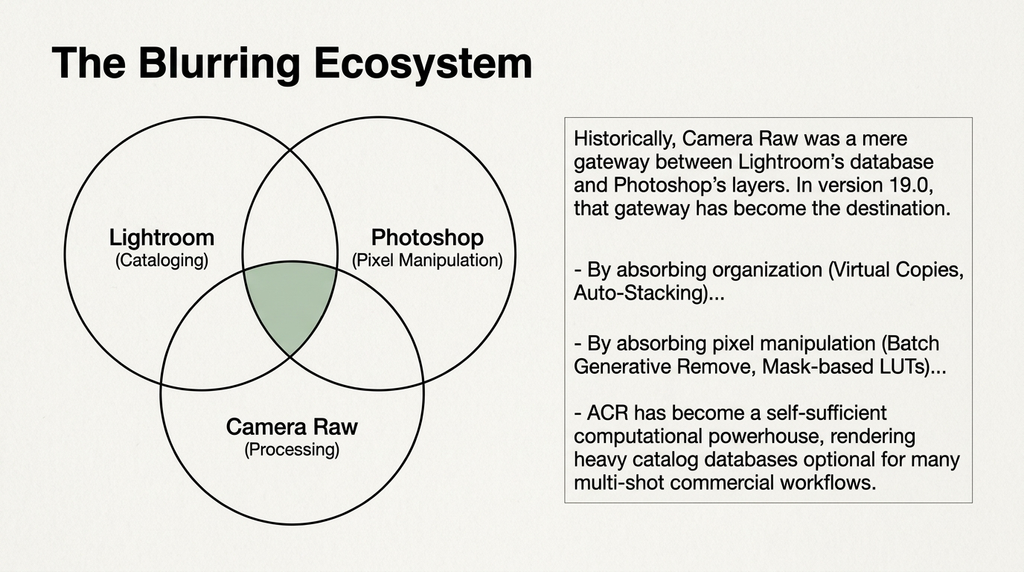
Ctrl + '/Cmd + '), enabling editors to create multiple non-destructive editing variations without duplicating source files on disk. Metadata is preserved in XMP sidecars or inside DNG files across sessions. This long-awaited feature bridges the gap between Lightroom catalog flexibility and ACR processing speed.
Summary
Adobe Camera Raw (ACR) 19.0 prioritizes non-destructive flexibility, format universalism, and high-volume batch efficiency across your digital workflow. Update host applications like Photoshop and Bridge via the Creative Cloud desktop app to access version 19.0 immediately.
A ‘ Full Deck’ is available here detailing how Adobe feel, that with this update, ACR has quietly become the ultimate Computational Hub