
General Photo Editing Process
Photo editing is all about optimising your photos. You don’t have to change your pictures completely; even small basic changes / edits can improve the image effect and optimise your photo.
Read more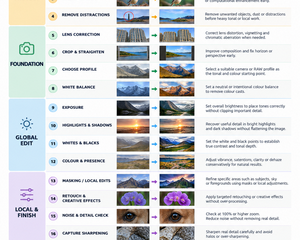
Photo editing is all about optimising your photos. You don’t have to change your pictures completely; even small basic changes / edits can improve the image effect and optimise your photo.
Read more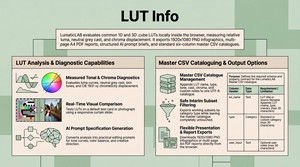
LumaticLAB LUT Analysis examines a common cube LUT locally in the browser. It can create a 1920 by 1080 infographic, a four-page A4 report, an enlarged diagnostic viewer, a structured AI prompt and a sort-able master CSV catalogue dependant on the User.
Read more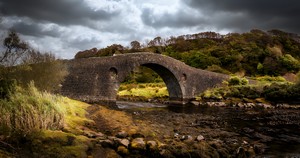
Foreground geometry and detail remain intact. • No obvious halos or cut-out edges around trees, branches or the bridge. • The replacement sky sits naturally in the scene. • Foreground light and colour respond plausibly to the new sky. • The result reads as one continuous photograph.
Read more
The September 2026 update introduces over 60 new features, focusing on finer creative control, workflow automation, and enhanced photography tools.
Read more
ConservationLAB was created as short or vague prompts forces generative AI models to fill in missing context using statistical averages and training defaults, which frequently produces generic clichés, unpredictable compositions, or visual and factual errors.
Read more
Every class in PROJECT PHOTOSHOP is project-based. Instead of simply demonstrating a collection of tools and techniques, our instructors will take you through a complete creative project from start to finish.
Read more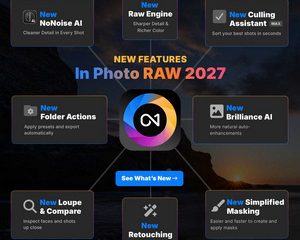
ON1 2027 Announcement
** New RAW Engine for sharper detail and richer color
** Remastered NoNoise AI for cleaner detail in every shot
** New Culling Assistant in MAX – sort your best shots in seconds
** Smarter Brilliance AI for more natural auto-enhancements
** New Retouching for faster and more realistic results
** Simplified Masking – easier and faster to create and apply masks
** New Loupe & Compare to inspect faces and shots up close
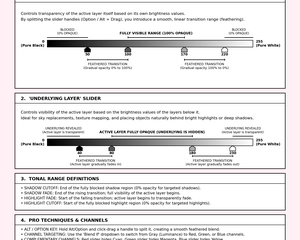
Take a walk through BlendLAB v1.12 to explore blend modes, tonal restrictions and RGB channels. Start with the built-in images; no upload is required. The aim is to see where a top layer can contribute and how feathering softens that boundary.
Read more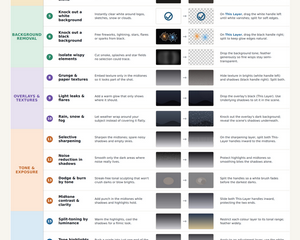
Blend-If is a non-destructive, tone-based blending tool. Think of it as a smart alternative to erasing or mask painting: instead of manually removing pixels, it automatically shows or hides them based on brightness – or a specific colour channel if you prefer.
Read more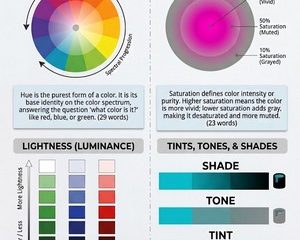
Mastering colour attributes is essential for precise digital grading. Whether developing custom 3D LUTs, tweaking RAW files, or assessing values against a neutral middle-gray.
Read more
The two Blend-If slider bars sit at the bottom. Note: a locked Background layer must be converted to a normal layer first.
Read more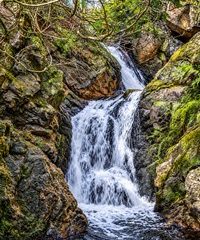
Just off the A835 on the way to Ullapool, is the beautiful and quiet forest garden with an impressive collection of trees and within it, is this rather beautiful little set of falls I’ve named Eas a’ Chadha Chòinnich (aka Mossy Ravine Cascade).
Read more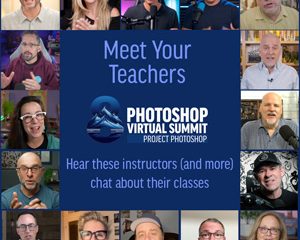
Listen in as instructors chat with Dave Cross about their classes at Photoshop Virtual Summit 8
Read more