
This is to introduce our latest help tool Blend LAB, an offline educational application designed to teach the basic mechanics of image blending.
Beyond the Scroll: The Logical Architecture of Blend Modes
For most digital artists, the blend mode menu is a long, intimidating list of technical jargon – the standard blend mode list contains 27 different options, a volume that frequently leads to analysis paralysis. So, we often find ourselves trapped in the “random scroll” loop—cycling through the list and hoping to land on something that looks right by sheer luck.
Blend LAB was developed to bridge this gap. It is a focused, minimalist learning environment designed to replace guesswork with technical intuition. So, Instead of scrolling until a mode “looks right,” a disciplined approach begins every edit with a specific objective. Full documentation (ZIP File) includes a first walk-through, a tooltip library, and a detailed user guide.
Stop Guessing: Ask yourself 5 simple Questions
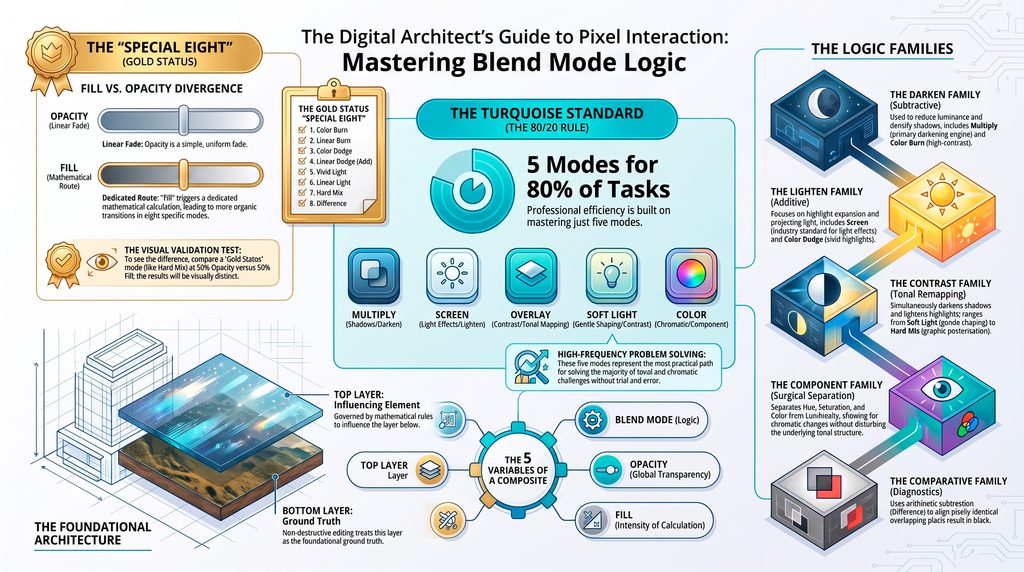
The transition from amateur to master is simply defined – Instead of scrolling until a mode “looks right,” an expert begins every edit with a specific objective. In Blend LAB, the objective maps directly to the five main Blend Mode Families:
- Do I want to darken the image? Look to the Darken Family (Multiply, Color Burn, etc.).
- Do I want to lighten the image? Look to the Lighten Family (Screen, Color Dodge, etc.).
- Do I want to add contrast? Look to the Contrast Family (Overlay, Soft Light, etc.).
- Do I want to compare layers? Look to the Comparative Family (Difference, Exclusion, etc.).
- Do I want to change the color? Look to the Component Family (Hue, Saturation, Color, Luminosity).
The “5 for 80%” Rule: Navigating the Practical Path
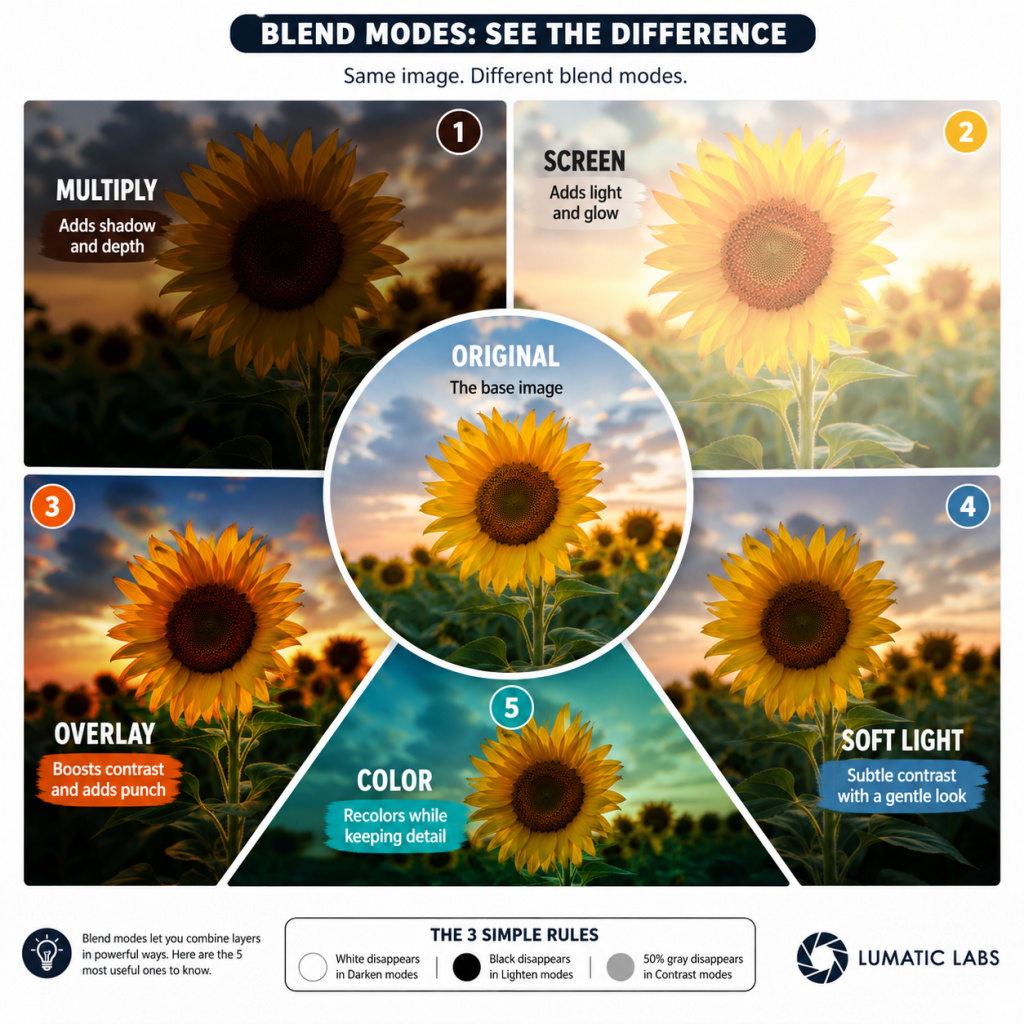
Blend LAB introduces a “practical path” through the chaos, marked by distinct turquoise cues. These cues identify five specific modes: Multiply, Screen, Overlay, Soft Light, and Color.
This “5 for 80%” rule is transformative because it acknowledges a fundamental truth of image processing: the vast majority of photographic needs can be met by mastering just these five selections.
The documentation (ZIP File) includes a first walk-through, a tooltip library, and a detailed user guide to help users understand how top and bottom layers interact.
Privacy and Security
ALL our tools and materials emphasize privacy and simplicity – per our LumaticLab User Charter
Further Reading
Blend LAB:
- The Mechanics of Digital Pixel Interaction ( PDF – Slide Set)
- Beyond the Scroll_ The Logical Architecture of Blend Modes (PDF – Document)
- Technical Reference Guide: The Mechanics of Digital Pixel Interaction (PDF – Document)
- Full documentation (ZIP File) includes a first walk-through, a tooltip library, and a detailed user guide to help users understand how top and bottom layers interact.