
Understanding Local Adjustments
Local adjustments in ON1 allow you to apply precise edits to isolated sections of an image while leaving the surrounding areas untouched. Unlike global adjustments – that alter everything from corner to corner.
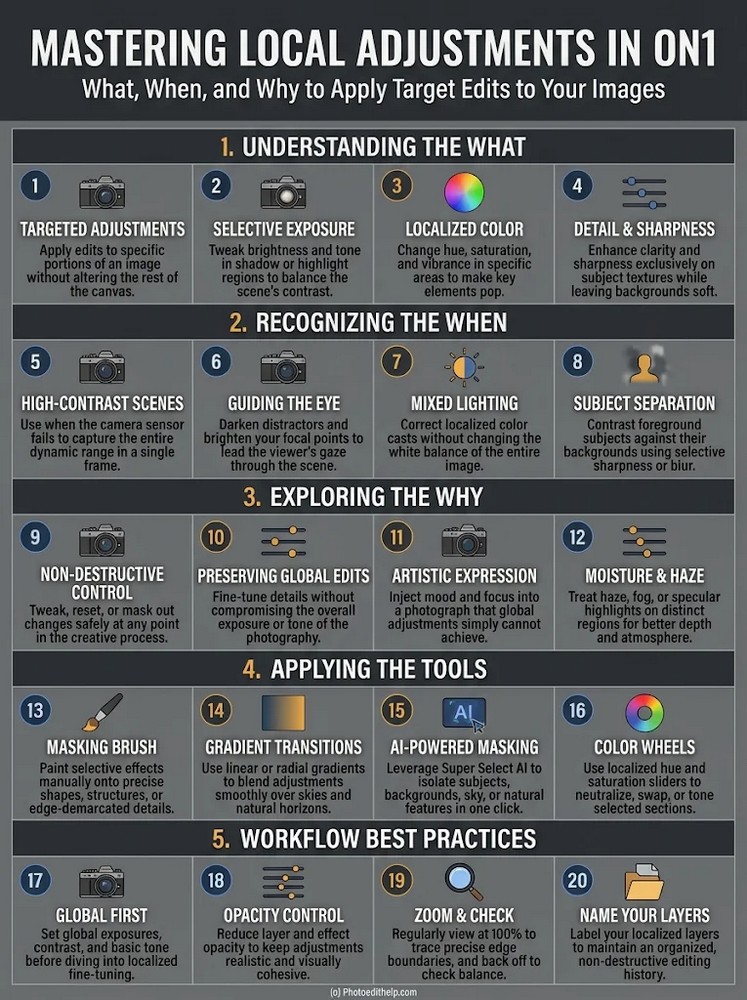
Local edits rely on masking to confine your work. Masking lets you refine exposure, contrast, colour (via localized hue and saturation), and detail (such as selective sharpening or blurring) within small, specific portions of the canvas. This gives you complete non-destructive control, meaning you can revise, tweak, or reset masks and edits at any point without degrading your file.
Knowing When to Use Them Local adjustments are crucial when global edits would ruin the balance of an image. They are particularly valuable for:
- High-Contrast Scenes: Recovering shadows or highlights (like a dark foreground or an overexposed sky) that a camera’s sensor couldn’t capture in a single exposure.
- Guiding the Viewer’s Eye: Brightening a key subject or subduing background distractions to naturally direct attention.
- Mixed Lighting: Correcting localized color casts (for example, warm interior lighting contrasting with cool outdoor window light) without ruining the image’s overall white balance.
- Subject Separation: Emphasizing a main subject by adding sharpness or brightness to it, while keeping the background soft and dark.
Why Apply Them ? Local adjustments replicate the physical dodging and burning of film editing, letting you “paint with light” to enhance depth and mood. By leaving the rest of your natural global adjustments intact, you preserve the natural transition of your baseline photograph. These adjustments allow you to solve specific localized issues – such as treating fog, haze, or specular highlights on water or foliage – which global sliders might otherwise wash out or ruin.
Tools & Workflow Practices ON1 provides several tools to create and apply these targeted changes:
- The Masking Brush: For manually painting precise edits over irregular shapes, subjects, or borders.
- Gradient Transitions (Linear/Radial): For naturally blending changes over vast areas like skies, horizons, or vignette zones.
- AI-Powered Masking: One-click segmentation through technologies like “Super Select AI” to isolate people, sky, water, or foreground foliage instantly.
- Opacity and Blend Modes: Sliding down opacity keeps adjustments natural and visually cohesive.
Workflow Tip: Follow a “Global-First” workflow – set the overall exposure, contrast, and base tones in the Develop panel before adding stacked, custom local layers, ensuring a naturally balanced final photograph.