Skip to content
  • Home
  • Bonnie Scotland
    • Scottish Clan Origins
    • Regional Attractions
    • The NC 500
    • 30 Beaches of Northern Scotland
    • 57 of my Favourite Scottish Waterfalls
    • Autumn (Fall) Photography – Scotland
    • Other Interesting Activities
    • Centre of Scotland
    • The 20 Tallest Waterfalls in Scotland
  • Scottish Raptors and Owls
  • About
    • Privacy Policy
    • Ethics Statement
    • Past Posts
    • LumaticLab User Charter
  • Contact Us
    • Important you read this
photoedit logo

Photoedit HELP

Your Companion for Smarter Edits

  • AI Photo Editing
    • Photo-editing goes all-in AI
    • # 1: Batch Editing in Google Gemini
    • AI Prompts I
  • Blog
    • Last 10 Articles by Group
  • Lumatic Lab
    • All Free LUTs
      • An Introduction to LUTs
    • Other FREE Presets
    • Other Free Apps.
      • Snapseed updated !
  • Photo Basics
    • 20 Post- Processing Mistakes
    • Camera Fundamentals for newcomers.
    • Composition
    • Color Basics
      • From Signal to Story
      • Mastering colour attributes
      • Colour Management v Colour Grading
      • 5 Truths of Color Grading
      • Blend Modes Pt 1
      • Blend Modes Pt 2 – 5 for 80%
      • Blend Modes Pt 3 – The Blend LAB App
      • Blend Modes Pt 4 A FInal Overview
    • Light Control
  • Black / White
    • B&W Editing
    • Beginner’s Guide to Tone and Contrast part 1
    • Beginners Guide – Tone & Contrast – Part 2
    • Mistakes in Black & White Photography
  • Infographics
    • Essential Camera Controls
  • Contact Us
  • Useful Links

Category: Blending

Blend-If

Blend LAB now with added Blend-If

September 8, 2026 admin Basic Editing Techniques, Blending, E PEHelp, Teaching Tool

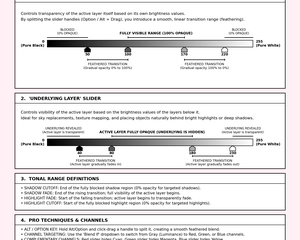
Take a walk through BlendLAB v1.12 to explore blend modes, tonal restrictions and RGB channels. Start with the built-in images; no upload is required. The aim is to see where a top layer can contribute and how feathering softens that boundary.

Read more
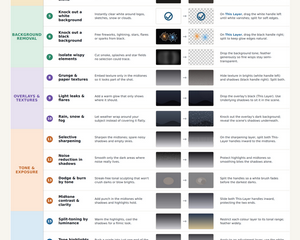
BlendLAB now includes Blend -If.

Blend-If – Pt2-Creative Uses

September 6, 2026 admin Adobe-Photoshop ACR, Basic Editing Techniques, Blending, E PEHelp, Masking, SD PDF, Workflow

Blend-If is a non-destructive, tone-based blending tool. Think of it as a smart alternative to erasing or mask painting: instead of manually removing pixels, it automatically shows or hides them based on brightness – or a specific colour channel if you prefer.

Read more
Blend-If

Blend-If Sliders – Pt 1 – Background

September 5, 2026 admin Adobe-Photoshop ACR, Basic Editing Techniques, Blending, E PEHelp, SD Image, Workflow

The two Blend-If slider bars sit at the bottom. Note: a locked Background layer must be converted to a normal layer first.

Read more

Recent Posts

  • Luminar Update due 28/10/26
  • B & W Lite -updated
  • Lumatic LAB Colour Picker – update
  • ChatGPT understands ON 1
  • LumaticLAB – Interactive Image Analyst – Updated

Archives

  • October 2026
  • September 2026
  • August 2026
  • July 2026
  • June 2026
  • May 2026
  • April 2026
  • March 2026
  • February 2026
  • January 2026
  • December 2025
  • November 2025
  • October 2025
  • September 2025
  • August 2025
  • July 2025
  • June 2025
  • About
  • Home
  • Bonnie Scotland
  • Contact Us
WordPress Theme: Poseidon by ThemeZee.
imunify-bot-check