
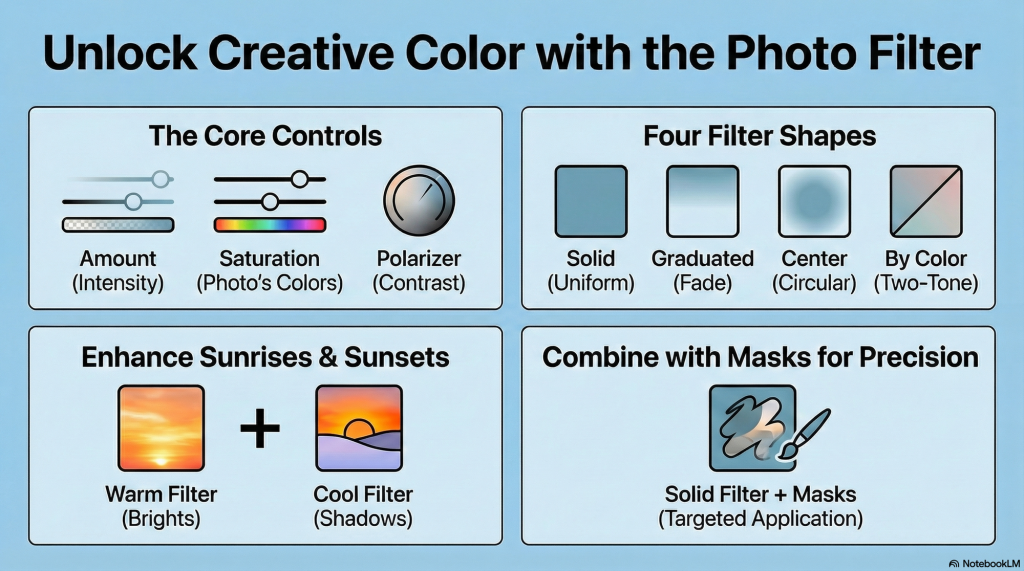
The Photo Filter in ON1 Effects digitally replicates traditional camera filters by simulating the look of old-school coloured glass filters, such as cooling gels or the 81A and 85 warming filters. While it mimics these physical tools, it enhances them through the flexibility of the digital environment, offering unlimited colour choices and precise masking capabilities that are impossible with physical gear.
Digital Replication of Physical Shapes
The software mimics the physical form of traditional filters through four primary “types” or shapes:
• Solid: Applies a uniform colour overlay across the entire image, similar to a standard coloured lens filter.
• Graduated: Replicates the gradual colour fade of a graduated glass filter, with digital controls for position, rotation, and transition smoothness.
• Center: A circular or elliptical version that can apply effects to either the center or the edges of the frame.
• Polarizer Slider: This specific control simulates the effect of a physical polarizing filter by deepening shadows, increasing contrast, and reducing glare, though it cannot fully replace the optical properties of a lens-mounted polarizer.
Digital Enhancements and Advantages
The digital Photo Filter surpasses physical glass by providing granular control over how the “tint” interacts with the image:
• Unlimited Colour Flexibility: Users are not restricted to a set of physical filters; they can select any hue via a colour wheel or hue slider.
• Tonal Protection (Mode Options): Digital filters include modes like “Clean Highlights” and “Clean Shadows,” which allow the user to keep specific tonal ranges relatively free of the tint, ensuring whites stay bright or deep shadows remain neutral.
• “By Color” Two-Tone Filtering: This digital-only feature allows for a two-toned gradient between two distinct colours, such as applying lavender to the sky while keeping the foreground a sandy orange within a single filter instance.
• Luminosity Masking: One of the most powerful digital enhancements is the ability to use luminosity masks to target the filter effect to specific brightness levels. For example, a photographer can apply a warming filter only to the highlights of a sunset to create a natural “kiss of colour” in the sky without affecting the darker foreground.
Strategic Integration
While physical filters are static once attached to a lens, digital filters can be stacked and reordered. Expert workflows often involve combining multiple solid Photo Filters with masking tools—such as using a lavender tint for shadows and an orange tint for highlights—to create sophisticated colour contrasts that would be extremely difficult to achieve with traditional physical glass.
In essence, the digital Photo Filter is like having a limitless kit of stained glass that can be reshaped, faded, and selectively applied to only specific parts of a photograph with a single click.