
This post outlines a comparative analysis by Anthony Morganti, demonstrating his photo editing workflow across five distinct software applications – Lightroom Classic, Luminar Neo, ON1 Photo RAW, PhotoLab 9, and Radiant Photo 2 to highlight their unique strengths and user interfaces.
Each section details specific techniques for tonal adjustments, AI-assisted masking, and local enhancements while noting varying levels of difficulty. By processing the same image through different platforms, the guide illustrates how automated presets and manual controls impact the final aesthetic.
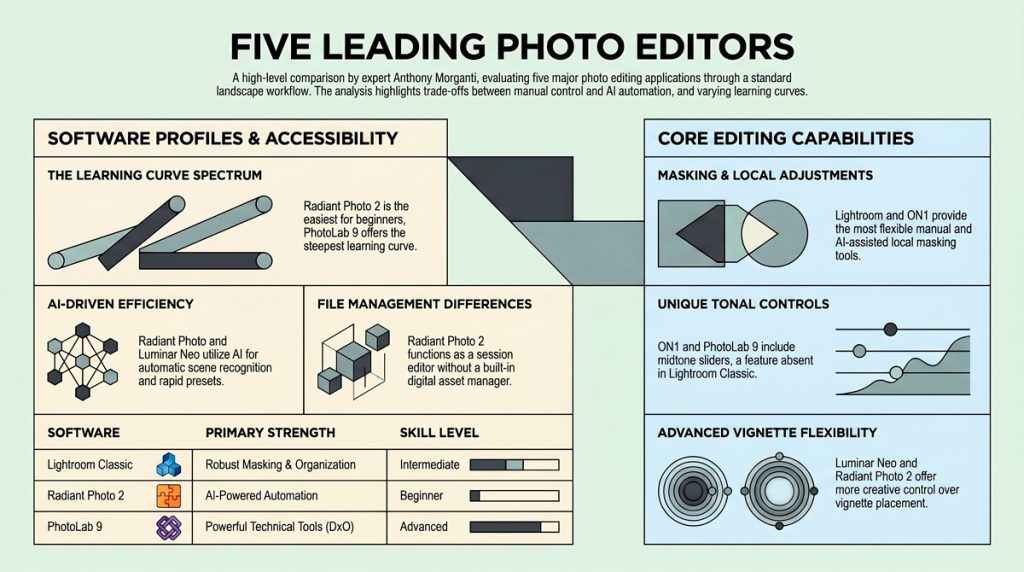
Ultimately, the source provides a practical resource for photographers to help determine which editing tool best aligns with their technical skills and creative requirements.
How the five photo editors compare:
1. Lightroom Classic Lightroom serves as a benchmark for detailed manual control and robust masking capabilities. Morganti prefers using the whites and blacks sliders to control contrast rather than the global contrast slider, as it offers more nuanced tonal control. The application excels in local adjustments, allowing users to easily generate separate AI masks for the sky, architecture, vegetation, and water.
2. Luminar Neo Luminar Neo separates its global and local adjustments. It features a Develop RAW module that provides advanced global controls, such as Kelvin temperature for precise white balance, but it lacks masking within this specific module. To apply local edits, users must switch to the Details module, which offers AI and object selection masks. Notably, Morganti considers Luminar Neo’s vignette tool superior to Lightroom’s because it allows users to center the vignette on a subject and add an inner light.
3. On1 Photo RAW 2026 This application features a workflow similar to Lightroom but includes a dedicated midtone slider for additional tonal balance. On1 stands out for its extensive filter effects, such as the dynamic contrast and sunshine filters. Users can easily pair these stylized filters with robust AI masks to locally enhance specific areas, like skies or architecture, and adjust the intensity using an opacity slider.
4. PhotoLab 9 PhotoLab 9 is described as having the steepest learning curve but is incredibly powerful once mastered. It includes unique, proprietary tools like DxO Smart Lighting and Clear View Plus, as well as advanced denoising and demosaicking features. However, unlike the other editors, it lacks standard whites and blacks sliders. Its AI masking tool is relatively new and less refined, often struggling with complex borders and requiring manual corrections.
5. Radiant Photo 2 Radiant Photo 2 is highlighted as the easiest application to use. Unlike the others, it lacks a digital asset manager for cataloging or sorting; it is purely a session editor where you drop images in to edit. It relies heavily on AI to analyze the scene (e.g., detecting a landscape versus a newborn baby) and automatically applies an appropriate preset or “workflow”. While it features unique manual controls like “super contrast” and “light diffusion,” its primary appeal is delivering high-quality, automated edits with minimal user effort.
Ultimately, Morganti notes that all five applications offer fully functioning free trials and advises users to test them out to see which interface, workflow, and performance best suits their individual needs and computer hardware