
Adobe’s update to Lightroom Classic version 15.3 introduces significant enhancements centered on Firefly AI integration and improved workflow efficiency. More on Firefly here from Julieanne Kost of Adobe.
Lightroom Classic has officially shed its “slider-only” skin, becoming a cloud-connected AI powerhouse. In version 15.3, your creative vision is no longer tethered to a progress bar or local hardware limitations.
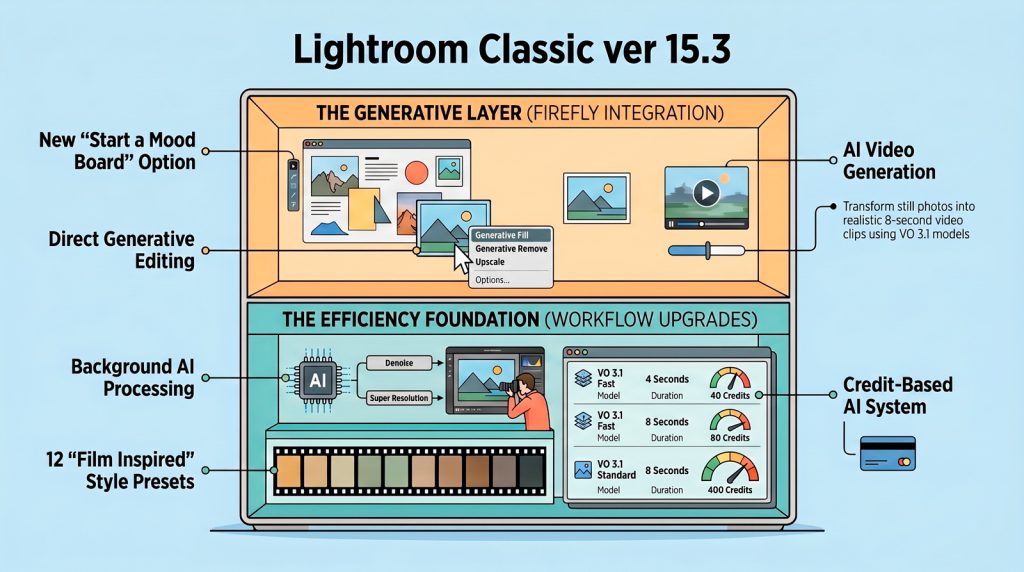
Users can now export images directly to the Firefly web platform to perform complex tasks such as generative fills, video creation from stills, and the newly added mood board feature. The software also expands its aesthetic toolkit by providing a collection of film-inspired presets designed to emulate classic analogue photography styles.
A major technical improvement allows AI-driven processes, including denoise and super resolution, to run in the background, enabling photographers to continue editing other photos simultaneously. Additionally, this release includes updated camera and lens profiles to ensure compatibility with the latest photography hardware.
Together, these updates aim to streamline the post-production process by merging traditional editing with modern artificial intelligence capabilities.
The Top 3 Impactful Takeaways
- Background AI Processing. Denoise, Super Resolution, and Raw Details now run asynchronously, allowing you to edit or cull other images while Lightroom handles the heavy lifting.
- Firefly-Powered Video. Upload stills to Adobe servers to generate 8-second clips via Firefly Video models (requires credits and an active internet connection).
- Adobe Firefly Boards. New to 15.3, this infinite canvas syncs Photoshop cloud documents and supports team collaboration through pinned comments.
The “Game-Changer” Analysis