
Jim’s tutorial provides a comprehensive guide to Luminar Neo’s masking capabilities, highlighting how targeted adjustments significantly improve image quality over global edits. He explores essential tools such as Light Depth, Gradient, and Luminosity masks, that allow photographers to isolate specific regions based on spatial distance, shape, or tonal values.
Key emphasis is placed on mask feathering and fading, techniques that ensure seamless transitions and prevent unnatural edges in the final composition. Additionally, the text showcases how AI-powered Object Selection and traditional brush tools work in tandem to streamline the editing workflow.
Applying “global edits” to an entire photo is an amateurish habit that often destroys your image’s intent. Professional results demand control. Masking is the bridge to surgical precision, allowing you to isolate adjustments and realize a specific creative vision without compromising the entire frame.
The Power of Precision: Core Masking Tools
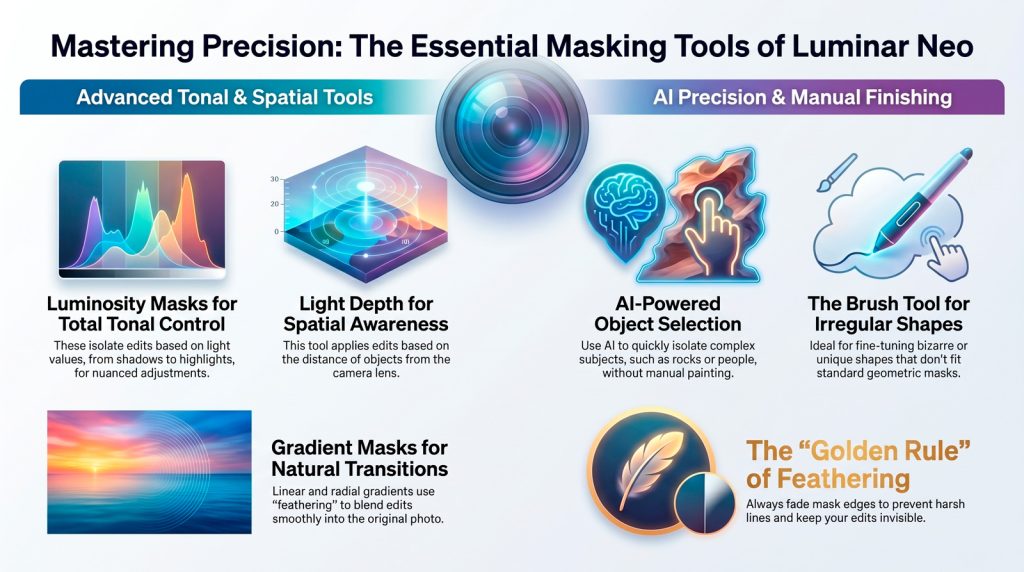
- Light Depth: This tool maps spatial distance rather than color. Using Advanced Settings, you can mimic natural lighting by warming “near” foreground elements and cooling “far” background layers to create professional color play.
- Luminosity Masking: Often called the “best mask, period,” this isolates edits based on light values. Adjusting the “little triangles” on the tonal scale provides a generous, smooth fade between shadows, midtones, and highlights.
- Object Select & Gradients: AI Object Select quickly handles complex “U-shapes” or rocks. Linear gradients transition from a “top line to a bottom line” (100% to 0% effect), while radial gradients isolate circular focal points like a setting sun.
Analysis: The Secret is in the “Fade”
Effective masking follows the foundational adage: “black conceals and white reveals.” The “fade” is what makes an edit invisible. By extending the transition from 100% to 0% effect, you feather the edges and prevent the harsh, unnatural lines that define a poorly manipulated photograph.
Expert Insight: A Reflection on Control
I spent years avoiding masking… and it was a waste of time. I should have dived in head first years ago. Why this matters is it gives you control. And control is how you get a better edit.
The “Last Mile”: Traditional Tools
The Brush tool remains the essential “last mile” solution for “bizarre or weird shapes” that automated AI might overlook. It offers the manual finesse needed to ensure your mask fits irregular landscape contours perfectly.
Conclusion
Ultimately, the guide serves as a technical roadmap for achieving professional-grade precision and creative control through advanced layering and blending strategies.