
In the realm of photo editing, achieving precise control over color adjustments can elevate your work from ordinary to extraordinary. The key to unlocking this level of control lies in mastering the art of masking. By combining masking techniques with color adjustment tools, you can make targeted edits that surpass global adjustments, ensuring a more refined and professional finish.
The Limitations of Global Adjustments – Traditional tools like Vibrance and Saturation apply changes uniformly across the entire photo. While these adjustments can enhance the overall aesthetic, they often lack the precision required for nuanced editing. In contrast, masking allows you to isolate specific areas or colors, enabling more deliberate and controlled adjustments.
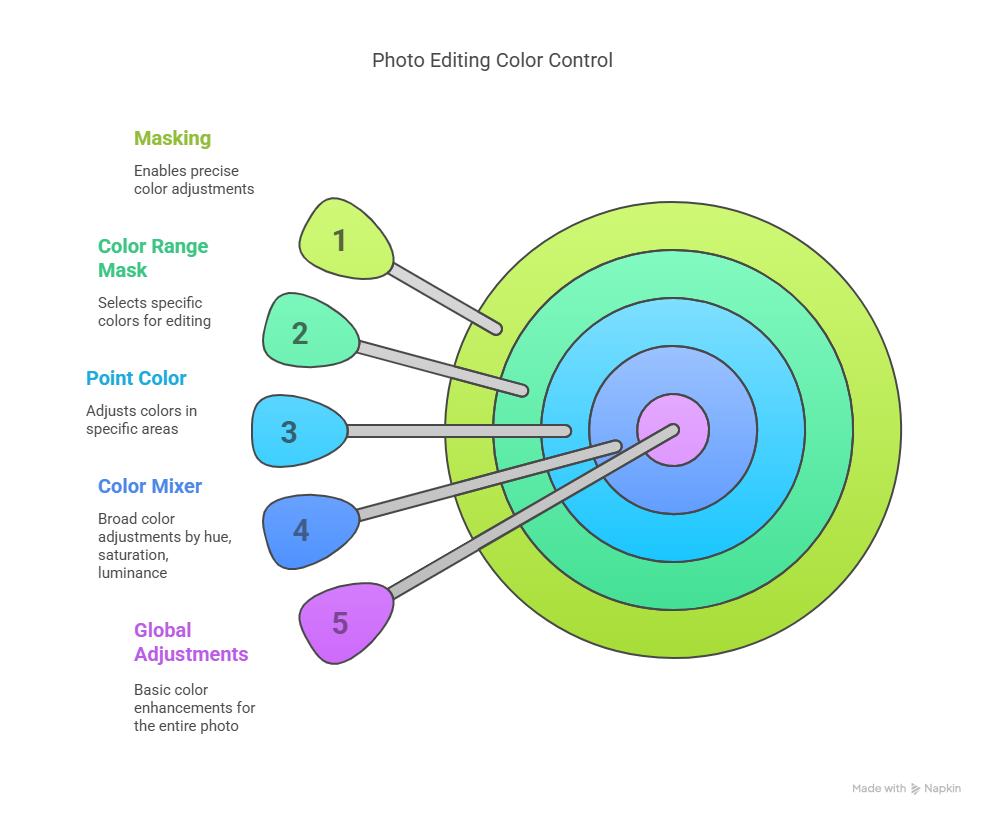
The Art of Masking
Masking is a powerful technique that enables you to select a specific area of the photo, such as an object or the sky, and apply targeted color adjustments. By creating a mask, you can:
- Isolate a specific area or color range
- Adjust the hue, saturation, and luminance of colors within that area
- Refine your selections using techniques like Color Range masking
Combining Tools for Precise Control
The true potential of masking is realized when masking is combined with color adjustment tools. By applying masks and then adjusting colours, you can achieve precise control over both the location and colour being adjusted. This synergy allows you to:
- Make targeted color edits without affecting the rest of the photo
- Fine-tune specific elements, such as changing the color of a single object or enhancing a sky
- Achieve professional-looking results with unparalleled precision
Key Takeaways
- Masking is a superior method for making precise color edits, offering control and precision that global adjustments can’t match.
- By combining masking tools with color adjustment tools, you can achieve refined and professional-looking results.
- Techniques like Color Range masking can help you select specific colors within a masked area, giving you powerful, targeted control.
Conclusion
In conclusion, masking is a game-changer for photo editors seeking precise control over color adjustments. By mastering this technique and combining it with color adjustment tools, you can unlock a world of creative possibilities and take your photo editing skills to the next level. With masking, you can ensure that your edits are not only effective but also refined and professional, giving you the confidence to push the boundaries of your creativity.