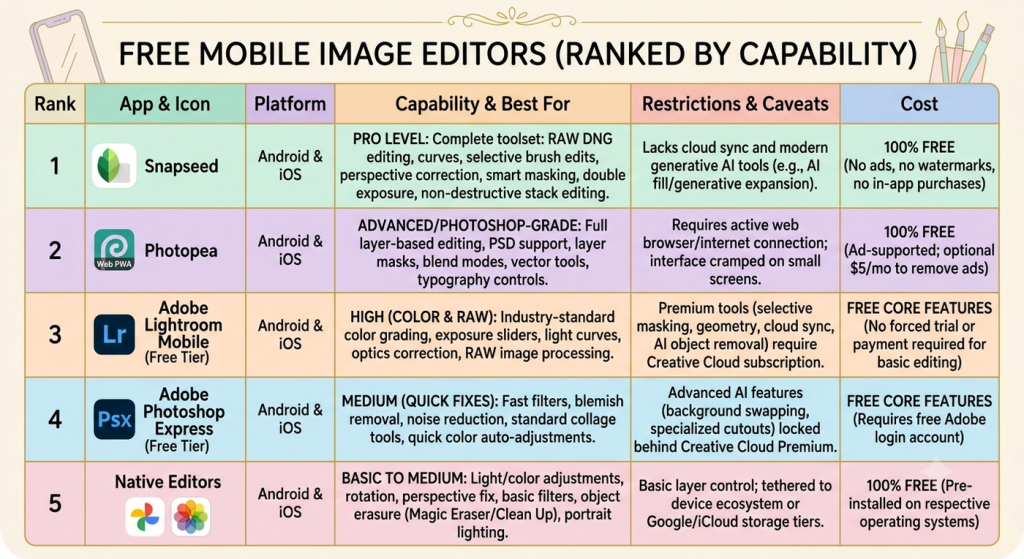
The following is a summary of mobile photo editing apps that offer genuine value without forcing you into hidden subscriptions, watermarking your exports, or blocking basic features behind immediate paywalls.
Free Mobile Image Editors (Ranked by Capability)
| Rank & App | Platform | Editing Capability & Best For | Restrictions & Caveats | Cost |
| 1. Snapseed | Android & iOS | Pro Level: Complete toolset with RAW DNG editing, curves, selective brush edits, perspective correction, smart masking, double exposure, and non-destructive stack editing. | Lacks cloud sync and modern generative AI tools (e.g., AI fill/generative expansion). | 100% Free (No ads, no watermarks, no in-app purchases) |
| 2. Photopea (Web PWA / Mobile Browser) | Android & iOS | Advanced / Photoshop-Grade: Full layer-based photo editing, PSD support, layer masks, blend modes, vector tools, and typography controls. | Requires an active web browser/internet connection; interface can feel cramped on small phone screens. | 100% Free (Ad-supported; optional $5/mo to remove side banner ads) |
| 3. Adobe Lightroom Mobile (Free Tier) | Android & iOS | High (Color & RAW): Industry-standard color grading, exposure sliders, light curves, optics correction, and RAW image processing. | Premium tools (selective masking, geometry, cloud sync, and AI object removal) require a Creative Cloud subscription. | Free core features (No forced trial or payment required for basic editing) |
| 4. Adobe Photoshop Express (Free Tier) | Android & iOS | Medium (Quick Fixes): Fast filters, blemish removal, noise reduction, standard collage tools, and quick color auto-adjustments. | Advanced AI features (background swapping, specialized cutouts) are locked behind Creative Cloud Premium. | Free core features (Requires a free Adobe login account) |
| 5. Native Editors (Google Photos / Apple Photos) | Android & iOS | Basic to Medium: Light/color adjustments, rotation, perspective fix, basic filters, object erasure (Magic Eraser on Google / Clean Up on Apple), and portrait lighting. | Basic layer control; tethered to device ecosystem or Google/iCloud storage tiers. | 100% Free (Pre-installed on respective operating systems) |
Detailed Breakdown & What to Watch Out For
- Snapseed (Google): The gold standard for a 100% free mobile editor. Google maintains it without ads, subscriptions, or watermarks. It saves custom presets (“Looks”) and tracks every editing step as an editable stack so you can undo adjustments at any point.
- Photopea: If you need layer-based editing (similar to Photoshop or GIMP) on a mobile device, running Photopea in your mobile browser is the most capable non-subscription alternative available.
- Freemium Caution (e.g., Picsart, VSCO, Pixlr): Many popular “free” apps on app stores advertise as free but restrict exports (e.g., limiting saves to 3 per day) or aggressively place paywalls over standard editing tools. Stick to Snapseed or native device editors if you want a zero-paywall experience.