
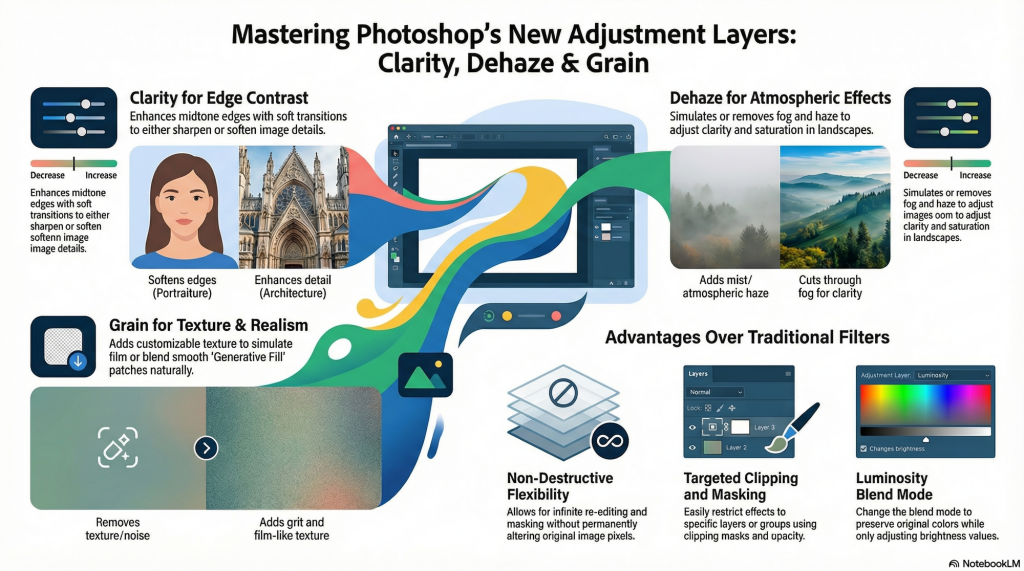
The introduction of Clarity, Dehaze, and Grain as dedicated adjustment layers significantly enhances non-destructive workflows by removing the need for complex workarounds like Smart Objects and offering superior integration into the layer stack.
Elimination of Smart Object Requirements Unlike traditional filters or the previous method of applying these effects via Camera Raw, these new adjustment layers do not require converting layers into Smart Objects to remain editable. This streamlines the workflow by allowing users to apply enhancements directly as layers that can be re-edited at any time without permanently altering the underlying pixel data,. This prevents the cumbersome process of applying filters individually to specific layers.
Precise Targeting via Clipping and Masking These tools offer far greater flexibility in how effects are applied to a composition:
• Selective Application: The adjustment layers can be masked or clipped to specific layers and groups, ensuring the effect is applied only where needed,.
• Practical Examples: For instance, a Grain layer can be clipped specifically to areas edited with generative fill to match the original texture without affecting the background. Similarly, a Dehaze adjustment can be restricted to the foreground while excluding the sky to preserve its original appearance.
Advanced Blending and Stacking Capabilities Because these tools function as standard layers within the Photoshop interface, they provide creative controls that traditional filters lack:
• Stacking Order: Users can stack and reorder these adjustments in the Layers panel, offering precise management over which elements in a complex composition are affected by the changes.
• Blend Modes and Opacity: The intensity and nature of the effects can be fine-tuned by changing the layer’s opacity or blend mode. For example, changing a Dehaze layer’s blend mode to Luminosity restricts the effect to brightness values, preventing the oversaturation of colours that often occurs with standard filtering,.
Reversibility Ultimately, these adjustment layers ensure the original image remains untouched. Users can edit, mask, or completely remove the effects at any stage of the creative process, ensuring a fully non-destructive and reversible workflow