
Moving complex color grades from Photoshop to video editors usually involves tedious manual recreation. The Lumatic Labs Curve Converter is FREE, SECURE, and operates locally so nothing leaves the user’s hardware.
This browser-based .acv curve parser handles the heavy lifting, accurately transforming curves into industry-standard 33-point 3D LUTs and color-graded JPEGs. Lumatic Lab’s ACV Curve Parser is a specialized software tool designed to transform Adobe Photoshop curve files into a universal colour-grading format (LUT). Users can preview adjustments on reference images, monitor tonal changes via histograms and scopes, and even sequence multiple curves into a single complex grade.
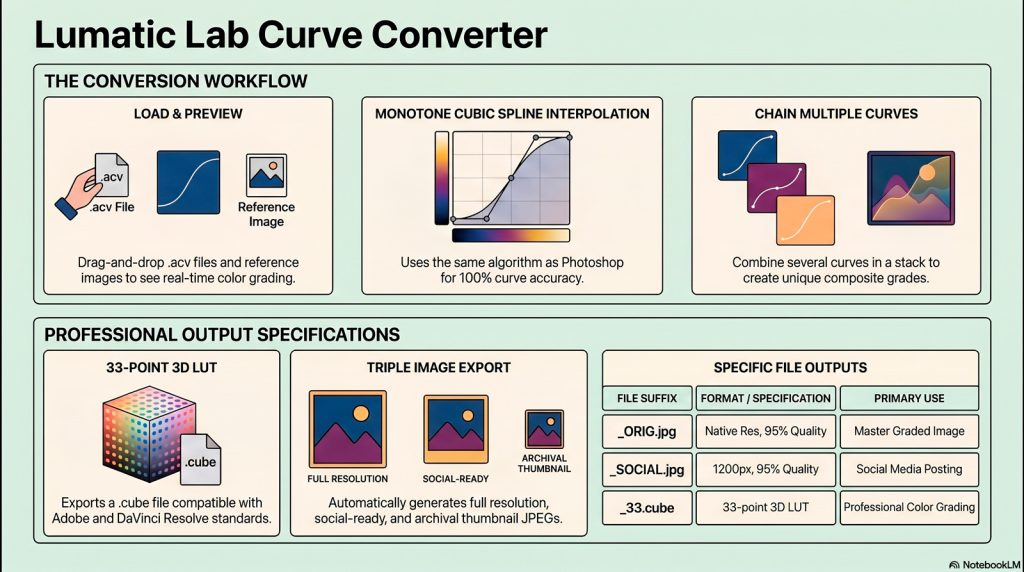
Technically, the application employs monotone cubic spline interpolation to ensure that colour translations remain mathematically precise and visually smooth. This produces smooth, correct curve shapes, the same algorithm used by Photoshop. Detailed instructions cover everything from batch processing and stack management to the underlying binary architecture of the files.
The app facilitates a streamlined workflow for converting static image adjustments into dynamic cinematic lookup tables. The software generates high-quality outputs, including standard 33-point 3D LUTs and three variations of processed JPEGs for different professional uses.
Moving complex color grades from Photoshop to video editors usually involves tedious manual recreation. This browser-based .acv curve parser handles the heavy lifting, accurately transforming curves into industry-standard 33-point 3D LUTs and color-graded JPEGs.
Top Takeaways
- Dynamic Chaining (Combined Mode): Stack multiple .acv files where the output of the first feeds the next. This chaining is mathematically equivalent to Photoshop adjustment layers, making stack order critical for precise creative control over composite grades.
- Photoshop-Level Precision: By utilizing Fritsch-Carlson monotone cubic Hermite interpolation, the tool achieves results mathematically equivalent to Photoshop. This superior approach ensures smooth, technically accurate curve shapes that outperform standard linear interpolation.
- Professional Exposure Monitoring: Maintain technical accuracy via the Curve Integrity Scope—which visualizes deviations from the “identity line”—and ZEBRA overlays. These identify blown highlights (Magenta/FLOW) and crushed blacks (Lime Green/EXIT) before export.
The Lumatic Labs Image Sculptor offers a robust bridge for creators needing to preserve specific aesthetics across media.
Sample curve files and practice images
As always, if you find any issue or would like to contribute, just use the ‘CONTACT US’ link.