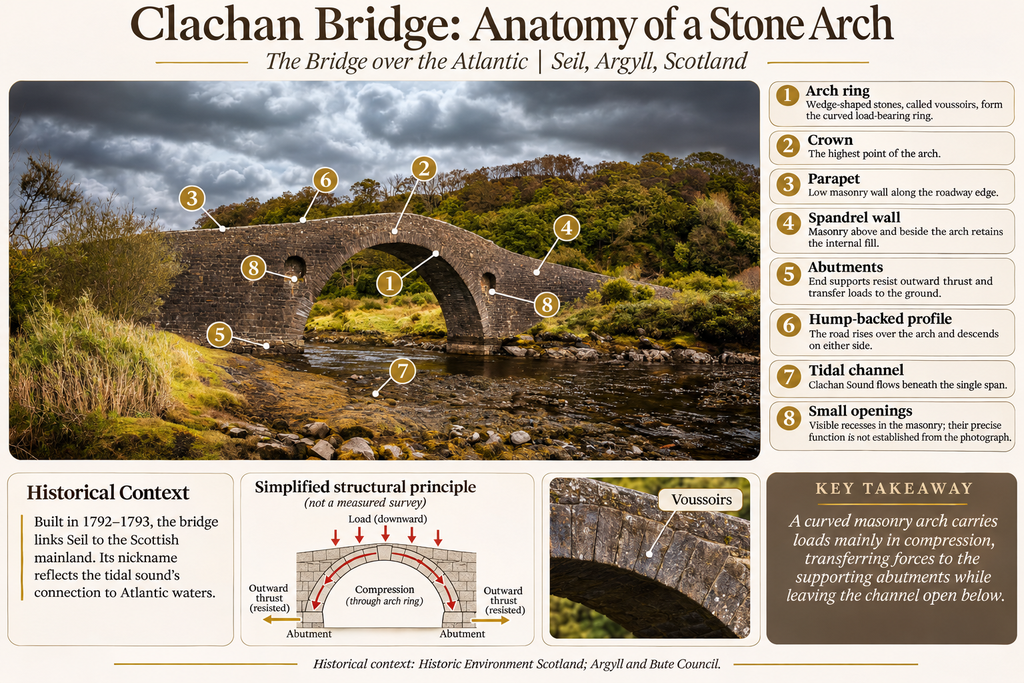
This prompt is a strong foundation for generating educational infographics from almost any uploaded image because it combines analysis, structure, accuracy and design direction in one reusable framework.
Its main strength is that it does not lock the user into a single subject, instead, it asks the model to identify what is actually present in the image, then choose the most suitable categories for explanation. That makes it flexible enough for landscapes, plants, wildlife, architecture, machinery, artefacts or photographs.
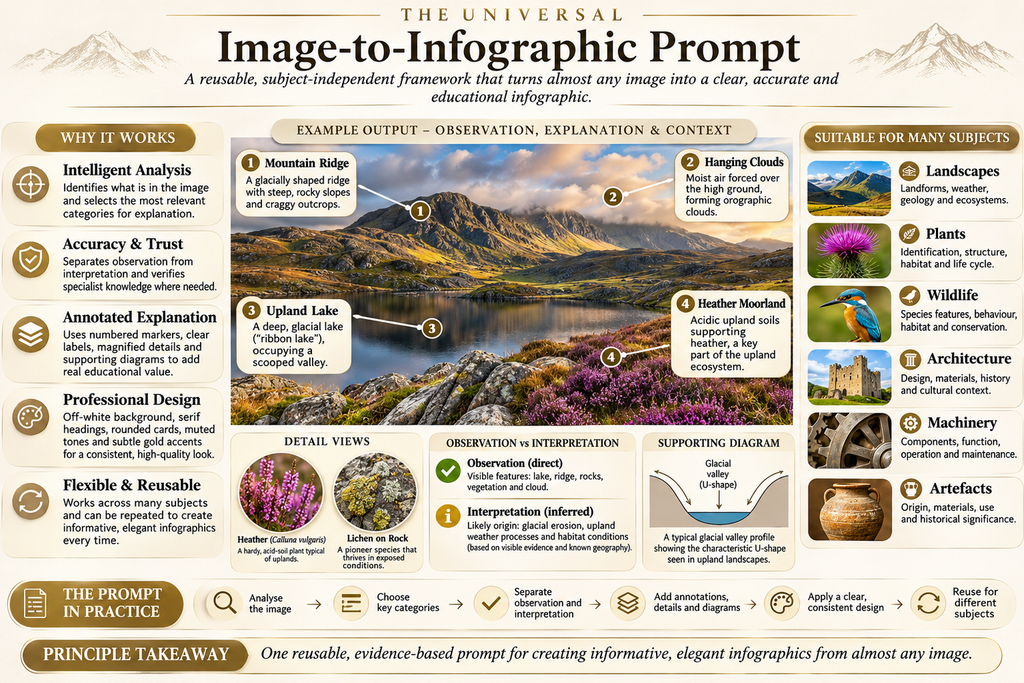
Whilst made for our Lumatic Knowledge Library and Chat-GPT, the generated prompt is independent of storage and suitable for any AI browser that supports image generation.
- The prompt improves quality by separating observation from interpretation. This reduces invented detail and helps the output feel more trustworthy.
- The instruction to verify specialist knowledge where needed is equally useful, especially for technical, historical or scientific subjects.
- The emphasis is on annotated explanation rather than simple labelling pushing the prompt towards genuine educational value by encouraging the model to explain not just what something is, but why it matters and how it relates to surrounding features.
- Perhaps the most useful feature is its reusability. Because the prompt is subject independent, self-classifying, evidence based and layout aware, it can become a reliable master prompt for repeated use across many different image types.
Overall, a thoughtful and effective prompt balancing analytical rigour with visual sophistication as it is especially strong for users who want outputs that are informative, elegant and broadly adaptable, based on :
- Subject independence: No subject-specific input parameter is required.
- Self-classifying: Automatically determines relevant categories.
- Evidence based: Distinguishes observable facts from interpretation.
- Adaptive layout: Selects the appropriate orientation and information structure.
- Reusable: Retains a consistent visual identity across unrelated subjects.
- Educational: Explains features rather than simply labelling them.
Chat-GPT preferred (11/26) as spelling is more accurate.
BEGIN PROMPT
- Image Analysis
Carefully examine the supplied image and automatically identify its primary subject, key features, structures, components, textures, patterns and relevant relationships.
Determine the most appropriate categories for explaining the subject. Adapt the analysis to the nature of the image rather than imposing predetermined categories.
- Visual Breakdown and Annotation
Retain the original subject as the central visual element.
Preserve its recognisable appearance, proportions, characteristics and structural relationships.
Highlight significant features using fine annotation lines, arrows, numbered markers and descriptive labels.
Include supporting illustrations, magnified details, isolated components or explanatory diagrams where they add educational value.
Explain what each feature is, its purpose or function, and why it is significant.
Identify relationships between individual components where appropriate.
Check spelling and grammar.
- Information and Accuracy
Provide concise, meaningful and factually accurate explanations using appropriate subject-specific terminology.
Distinguish directly observable features from inferred or interpreted information. Do not invent structures, characteristics, functions or details that cannot be reasonably established.
Where specialist knowledge is required, verify important information using reliable sources.
- Layout and Visual Style
Present the infographic on an off-white background in a clean, minimal, luxury editorial style.
Use:
A prominent, subject-specific title and descriptive subtitle.
A large, detailed central illustration derived from the supplied image.
Thin annotation lines and refined visual markers.
Elegant rounded information cards.
Supporting illustrations and magnified details.
Sophisticated serif headings and highly legible body text.
A restrained palette of charcoal, warm grey, muted taupe and subtle gold accents.
Generous spacing, balanced composition and a clear visual hierarchy.
Select the most appropriate portrait or landscape orientation according to the subject and its natural proportions.
- Content Management
Develop all titles, categories, annotations, illustrations and explanations specifically for the current image.
Discard all previous subject matter, examples, categories and annotations. Retain only the approved visual design principles.
Avoid unnecessary decoration, repetitive explanations, excessive text and visual clutter.
- Final Output
Create a complete, high-resolution, self-contained educational infographic with professional editorial quality and an expensive, high-end aesthetic.
Include a concise KEY TAKEAWAY summarising the most important understanding gained from the analysis.
Keep the focus firmly on explaining the original subject, its individual features and their significance.
The finished infographic should allow someone unfamiliar with the subject to understand what they are looking at, how its components relate to one another and why they matter.
Check all spelling and sentence construction
Variables / placeholders:
Universal applications
The prompt automatically adapts its content according to the uploaded image.
Image subject Potential analysis and annotations
Landscape Geology, vegetation, terrain, water and natural processes
Flower or plant Anatomy, petals, leaves, stems and biological functions
Wildlife Physical characteristics, adaptations and distinguishing features
Architecture Construction, materials, architectural features and design
Mechanical equipment Components, functions and operating principles
Historical artefact Materials, craftsmanship, features and historical context
Photograph Composition, lighting, colour, texture and visual relationships
Food Ingredients, preparation and presentation
Clothing Materials, construction, tailoring and design features
Artwork Techniques, composition, symbolism and artistic style
Electronic equipment Controls, connections, components and functions
Geological specimen Mineral characteristics, textures and formation
- Subject independent: No subject-specific input parameter is required.
- Self-classifying: Automatically determines relevant categories.
- Evidence based: Distinguishes observable facts from interpretation.
- Adaptive layout: Selects the appropriate orientation and information structure.
- Reusable: Retains a consistent visual identity across unrelated subjects.
- Educational: Explains features rather than simply labelling them.
END PROMPT
Just create a suitable Resource Category within your copy of the Lumatic Knowledge Library and ‘copy/paste’ the prompt into it and you’re all set.