
https://www.youtube.com/watch?v=kUN7fTyp3RI
The camera rarely captures the soul of a landscape, often leaving you with RAW files that feel flat, noisy, or just a little off. To bridge this gap, Dylan from ON1 offers a streamlined path for a quick, simple, and huge transformation.
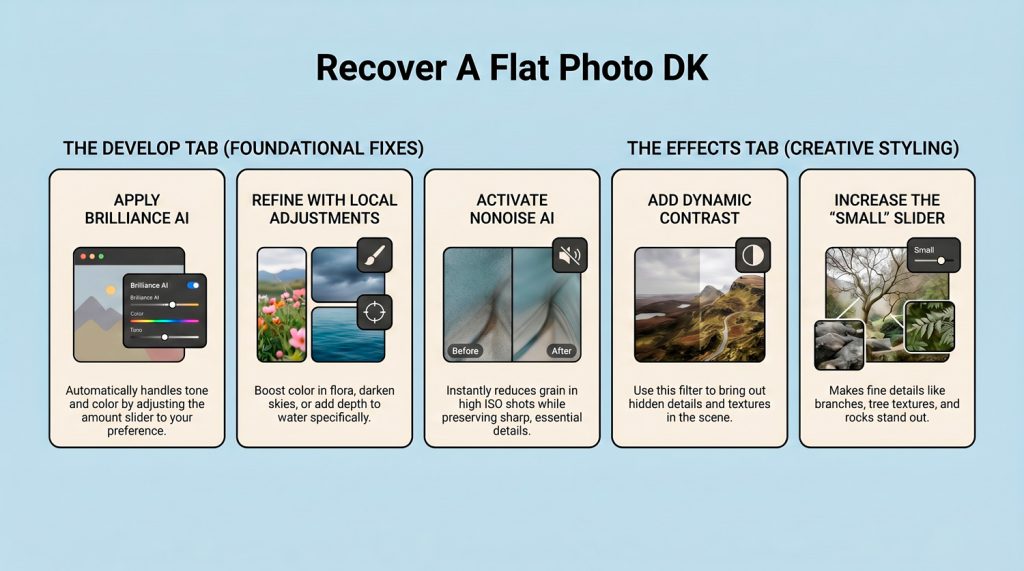
In the Develop module, enable Brilliance AI to let the engine intelligently handle tone and color automatically. Simply adjust the amount slider to taste and utilize the tool’s automated local adjustments to boost flora, darken skies, or add depth to water. Automating these complex segmentations replaces the tedious labor of manual masking and layer management, instantly establishing a balanced starting point.
Also located within the Develop module, NoNoise AI allows you to strip away grain while preserving sharp detail in critical areas. Next, navigate to the Effects module and apply a Dynamic Contrast filter to inject texture into the scene. Increasing the small slider specifically targets micro-textures in branches and rocks, making them stand out without creating the artifacts or halos found in traditional sharpening.
“If your photos look flat, noisy, or just a little off, this will fix it fast.”
This AI-driven workflow shifts your focus from grueling technical labor to pure creative intent. By automating the correction phase, you reclaim your time for the artistic styling that truly defines your work.
Is your current editing workflow holding back the hidden potential in your “flat” files?