
Summary
This video tutorial demonstrates how to accelerate your photo editing workflow using AI tools in On1 Photo RAW 2026.
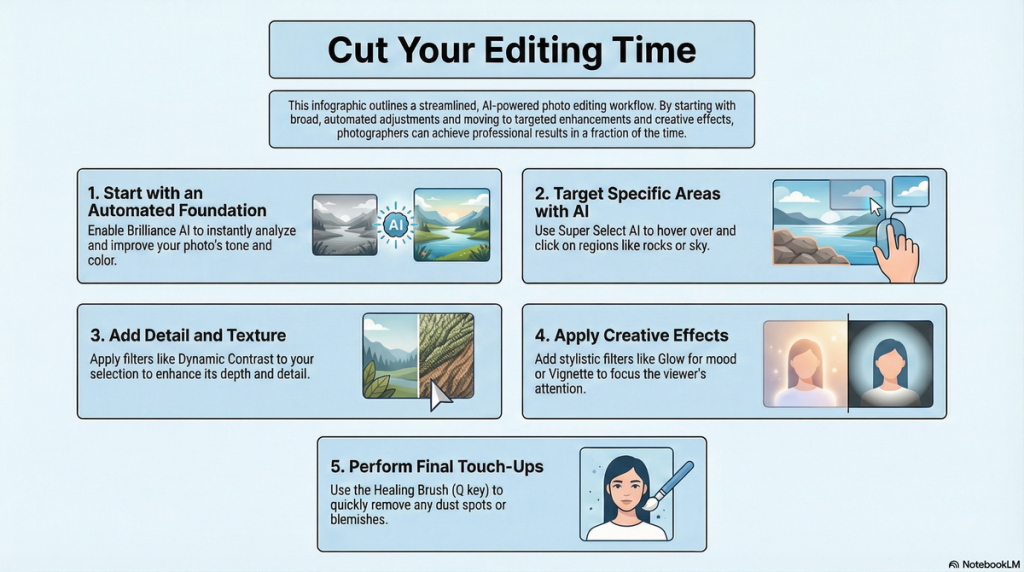
The presenter highlights two primary AI features: Brilliance AI and Super Select AI. Brilliance AI automatically analyzes and enhances tone, color, and local adjustments without manual masking, saving significant editing time. Following this, Super Select AI allows precise selection of specific areas, such as rocks, to add texture and detail using dynamic contrast filters. Additional creative effects like glow and vignette filters are applied to enhance the overall image aesthetics. The presenter also briefly covers quick dust spot removal using the healing brush. Overall, the video showcases a streamlined editing process powered by AI tools, making professional-quality photo enhancement faster and more accessible.
Key Insights
- Brilliance AI automatically analyzes and adjusts tone, color, and local regions in photos.
- Local adjustments created by Brilliance AI eliminate the need for manual masking.
- Sliders allow fine-tuning of AI-generated local adjustments for precise control.
- Super Select AI facilitates quick and accurate selection of specific areas within an image.
- Dynamic contrast filters add texture and detail to selected regions, enhancing image depth.
- Opacity and filter sliders provide flexibility to customize AI effects for subtle or intense results.
- Creative effects, such as glow and vignette, complement AI adjustments for stylistic enhancements.
- The healing brush tool offers a fast method to remove blemishes like dust spots.
- Using AI tools in sequence significantly speeds up the photo editing workflow.
- On1 Photo RAW 2026 integrates AI tools seamlessly within a familiar editing interface.
Key Learning Points
- Enable Brilliance AI to instantly improve photo tone and color based on image content.
- Use Brilliance AI’s automatic local adjustments to enhance specific photo areas without manual masks.
- Adjust individual sliders within Brilliance AI’s local adjustments to customize image look.
- Activate Super Select AI to select and isolate parts of an image by hovering or dragging a box.
- Apply dynamic contrast filters through Super Select AI to add texture and emphasize details.
- Fine-tune filter intensity by adjusting opacity and other filter parameters for balanced edits.
- Incorporate glow filters to enrich foliage, sky, and water elements with mood and tone.
- Utilize vignette effects to focus viewer attention by darkening image edges softly.
- Quickly fix imperfections like dust spots using the healing brush shortcut (Q key).
- Combine AI tools and creative filters strategically to achieve polished edits efficiently.
Conclusion
This tutorial effectively highlights how AI-driven tools in On1 Photo RAW 2026 can transform and expedite photo editing.
By leveraging Brilliance AI and Super Select AI, photographers can automate complex adjustments, eliminate tedious manual tasks, and maintain creative control through fine-tuning sliders. Additional effects and quick touch-ups complete the workflow, ensuring professional results with minimal effort.
These innovations make advanced editing accessible and efficient, empowering users to enhance images with speed and precision.