
Scott Davenport’s tutorial introduces Intersect Mode, a sophisticated masking feature within ON1 Photo RAW 2026 designed for high-precision photo editing.
Unlike standard additive methods, this tool restricts adjustments exclusively to the overlapping areas of multiple mask layers. By combining luminosity masks with looser brush strokes, photographers can achieve meticulous results in dodge and burn workflows without needing perfect manual accuracy. While this advanced technique requires a strategic mindset, it significantly streamlines the process of isolating complex highlights or shadows.
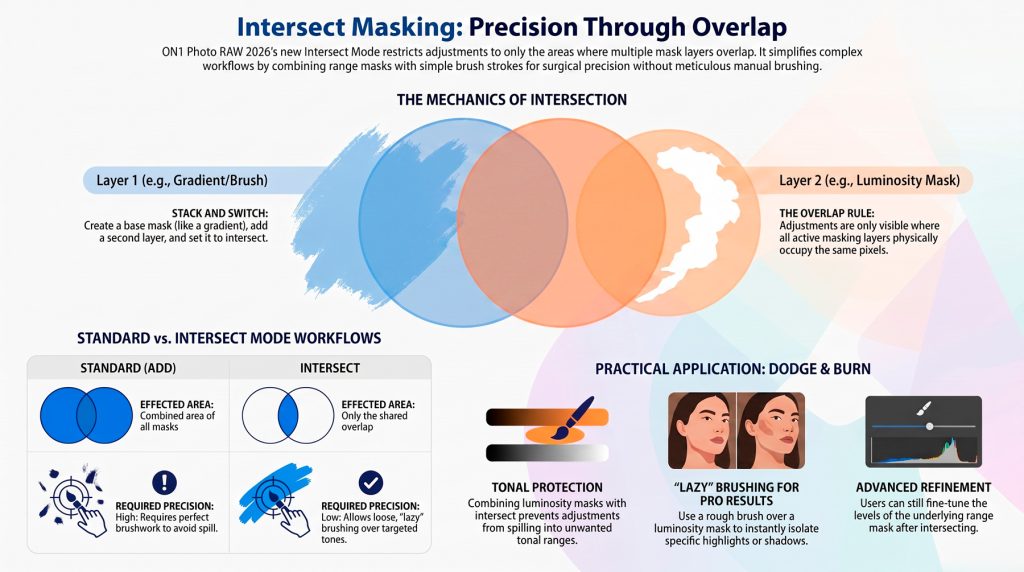
Ultimately, the guide demonstrates how to leverage these overlapping layers to gain granular control over specific tonal ranges, image details and streamlines your photo editing workflow, offering precise control over complex adjustments through intelligent, overlapping mask layers.
- Defined by Overlap: Intersect Mode restricts effects strictly to where mask layers overlap, enabling surgical control over multi-layered, complex image adjustments.
- Precision Targeting: Target skies or water by intersecting gradients. This ensures adjustments only hit specific, overlapping regions for cleaner, professional results.
- Tool Synergy: Combine Luminosity Masks with Brush tools to target specific tones while manually controlling exactly where adjustments are applied.
- Workflow Efficiency: Use “lazy” brushing. Broad strokes are restricted by mask boundaries, eliminating the need for meticulous, pixel-perfect labor on edges.
- Advanced Results: Shift toward restrictive logic for nuanced dodging and burning. By isolating interactions, you create natural highlights without affecting surrounding pixels.
Professional Analysis
ON 1 Intersect Masking Mode is a game-changer for dodging and burning. Isolating tonal ranges through luminosity masks. Brushing maintains tonal integrity, helps prevent halos and color bleeding while significantly reducing manual effort.
What intersect means is as you’re building up these masking layers, if you choose one of those layers to be in intersect mode, that means it’s only going to affect parts where the different masking layers overlap or intersect.