
Adobe’s Shifting Technical Architecture and what it means to Enthusiasts & Amateur photo – editors.
Summary
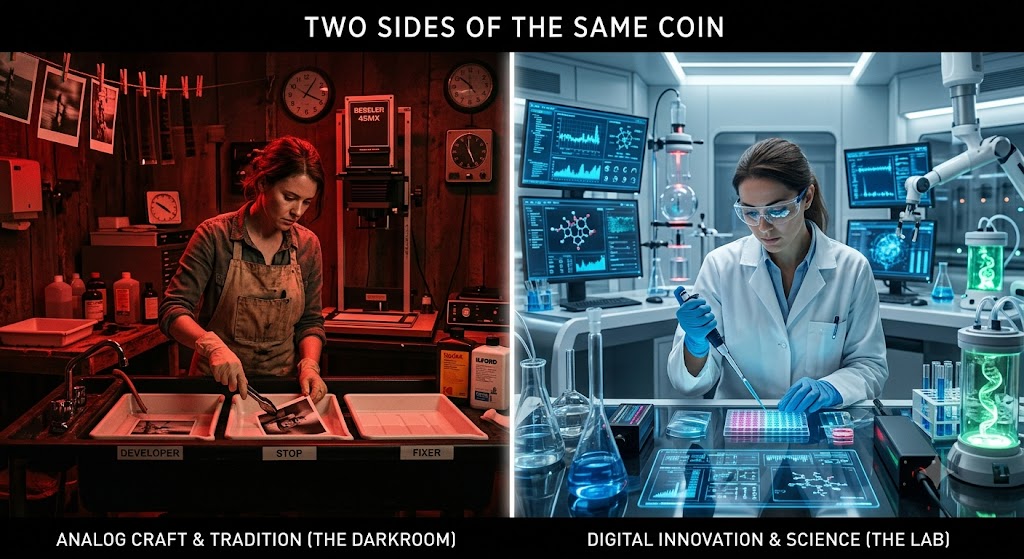
For years, enthusiast and amateur photo – editors have viewed Adobe Lightroom and Photoshop as two sides of the same coin: one for organizing and tweaking, the other for heavy retouching.
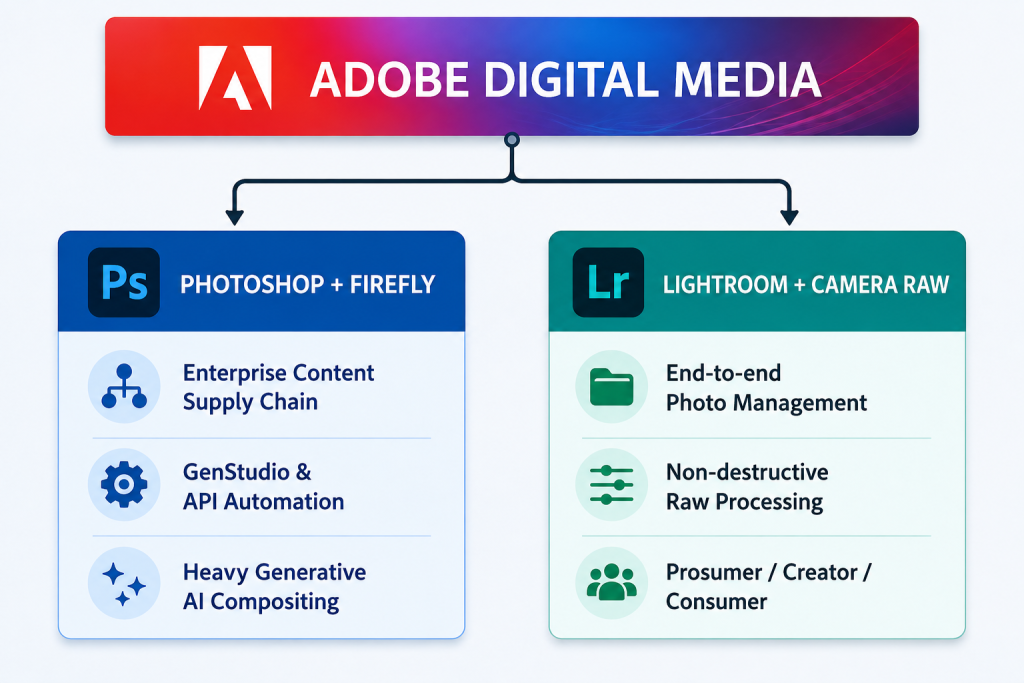
However, a look under the hood at Adobe’s latest technical architecture reveals a deliberate divergence.
Driven by competitive pressures to automate enterprise marketing, Adobe is re-architecting Photoshop into a cloud-based, headless generative AI engine. Meanwhile, Lightroom and Adobe Camera Raw (ACR) are being fortified as dedicated, non-destructive parametric editors.
For the non-enterprise photographer, understanding this architectural split is key to optimizing workflow and knowing which tool to bet on for the long term.
1. The Architectural Divide: Parametric vs. Headless Raster
At the core of Adobe’s strategy is a fundamental difference in how its two flagship platforms handle data.
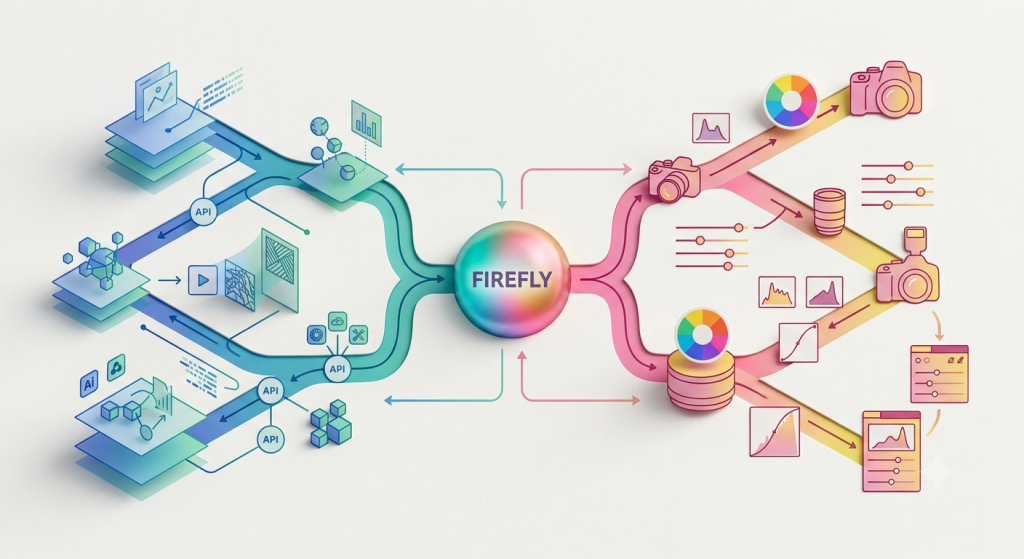
Lightroom and Adobe Camera Raw (ACR): The Parametric Sandbox Lightroom and ACR are built on a non-destructive, parametric architecture. When you edit a RAW file in Lightroom, you are not actually changing the pixels. Instead, the software writes a set of mathematical instructions (parameters) stored in a lightweight text database or a metadata sidecar file (XMP).
The technical focus for Lightroom remains on optimizing the demosaicing algorithms (how raw sensor data is translated into colours) and improving the speed at which these mathematical instructions are applied across thousands of files. AI integrated here – such as AI Denoise or Lens Blur – operates as “utility AI.” It accelerates localized adjustments and noise calculations but respects the foundational, non-destructive architecture.
Photoshop: The Headless Generative Engine Photoshop’s architecture has undergone a radical transformation. It is no longer just a standalone desktop raster graphics editor; it is now an orchestration node within “Adobe GenStudio,” the company’s enterprise content supply chain.
To meet the demands of global marketing teams, Adobe has decoupled Photoshop’s core editing capabilities from its user interface, exposing them as “headless APIs” (Application Programming Interfaces). This means enterprise servers can trigger Photoshop functions – like background removal, colour replacement, and Firefly generative expansion – in the cloud, on thousands of images simultaneously, without a human ever opening the application.
Because Photoshop fundamentally relies on rasterization (permanently altering pixel data) and layer-based compositing, it is the perfect architectural vehicle for heavy Generative AI. Firefly models can synthesize entirely new pixels, blend them into existing layers, and export localized marketing assets at scale.
2. The Competitive Drivers Behind the Code
Adobe didn’t split this architecture by accident; it was forced by distinct market pressures that dictate its engineering priorities.
- The Threat to Photoshop (Speed & Synthesis): The rise of frictionless, browser-based design tools like Canva, coupled with rapid AI generators like Midjourney, ON1, Luminar & others challenged Adobe’s dominance in commercial asset creation. To counter this, Adobe had to turn Photoshop into an automated, AI-heavy compositing engine capable of generating brand-safe visual variants at unprecedented speeds.
- The Threat to Lightroom (Volume & Culling): On the photography front, software like Capture One and AI-batch editors like Imagen AI pressured Adobe to improve workflow speeds for high-volume shooters. Consequently, Lightroom’s development is driven by the need for faster cloud-syncing, better auto-culling, and AI that handles tedious utility tasks (like masking subjects) rather than synthesizing new realities.
3. A Brief Note on Ethics and IP
This architectural split also elegantly solves an ethical dilemma for Adobe. By keeping heavy generative synthesis (creating things that never existed) housed within Photoshop and Firefly Enterprise, Adobe caters to commercial clients who need legally indemnified, custom-trained AI models for advertising.
Conversely, keeping Lightroom focused on utility AI (removing a dust spot, masking a sky) protects the ethical boundaries of pure photography. It ensures that photojournalists, documentary shooters, and traditional enthusiasts have a “safe” environment where the integrity of the captured moment remains intact.
4. What This Means for Your Workflow
Enthusiast and amateur photo – editors, might occasionally feel overwhelmed by the sheer volume of AI features flooding into Photoshop. Understanding Adobe’s technical architecture explains why: Photoshop is increasingly built to serve enterprise marketing automation and heavy digital compositing.
For the enthusiast who wants to capture reality and enhance it, the Lightroom and Camera Raw ecosystem is your dedicated darkroom. Its parametric architecture is designed specifically for your needs – preserving your original RAW data, speeding up your edits with utility AI, and keeping your catalogue pristine. You can confidently rely on Lightroom as your primary home, knowing that Photoshop is there in the background, acting as a specialized sci-fi laboratory for those rare occasions when reality just isn’t enough.
We welcome any feedback you may have, just use the ‘Contact Us’ function.