
The primary purpose of the LUMATIC LAB Resampler is to enable a User to standardise the 3D LUTs they use by converting various cube sizes (such as 17³, 64³, and 65³) into a universally compatible format, most notably the 33³ Master Standard. Colour Grading is then no longer locked to a single, expensive software ecosystem.
This standardization solves several workflow issues, as many modern editing environments are specifically optimized around the 33³ size. By converting LUTs to this balanced midpoint, the Resampler ensures cross-software compatibility, consistent rendering behavior, and stable performance on more cost effective laptops, desktops or as Chromebook-Plus hardware.
Without this conversion, uploading to editing software a larger LUT may cause memory issues, slow processing, or software crashes, while using a smaller LUT risks tonal gaps and reduced color accuracy.
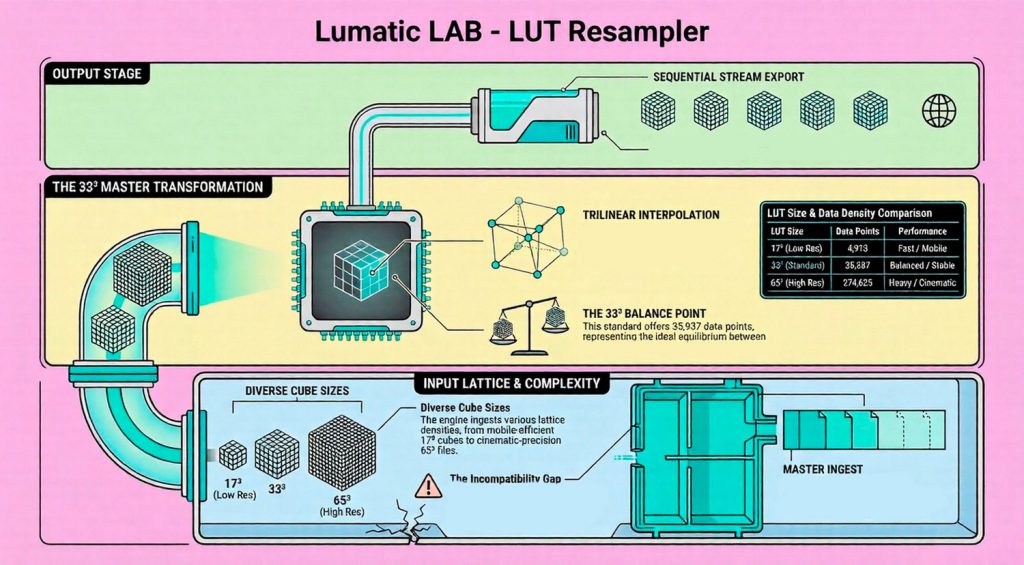
To achieve this standardization without degrading the image quality, the Resampler rebuilds the color grid intelligently using trilinear interpolation. For every point on the new 33³ grid, the engine calculates a weighted blend by analyzing the nearest eight colors in the source LUT. This complex mathematical transformation ensures that smooth gradients, tonal integrity, and color continuity are preserved without introducing visual artifacts like banding or “stair-stepping”.
Additionally, the Resampler serves several other practical functions:
- Safe Batch Processing: It can automatically process multiple LUTs sequentially. It processes every file independently from a fresh, clean memory buffer, which prevents any cross-file contamination, rounding drift, or “mathematical ghosting” between batch jobs.
- Strength Adjustment & Previews: The interface allows users to upload a reference image, apply the imported LUT, and use a slider to adjust the LUT’s overall strength. Users can then choose to export a custom strength-adjusted LUT, the standard raw LUT, or a processed preview image.
- Resolution Flexibility: While 33³ is the master standard, the tool also offers the option to target 17³ (Low Res) or 65³ (High Res) formats depending on the user’s specific workflow needs.
You can also download a short presentation we made to explain the purpose of the app. It’s a couple of ‘dot’ versions out of date but the majority still holds true, download the PDF version.