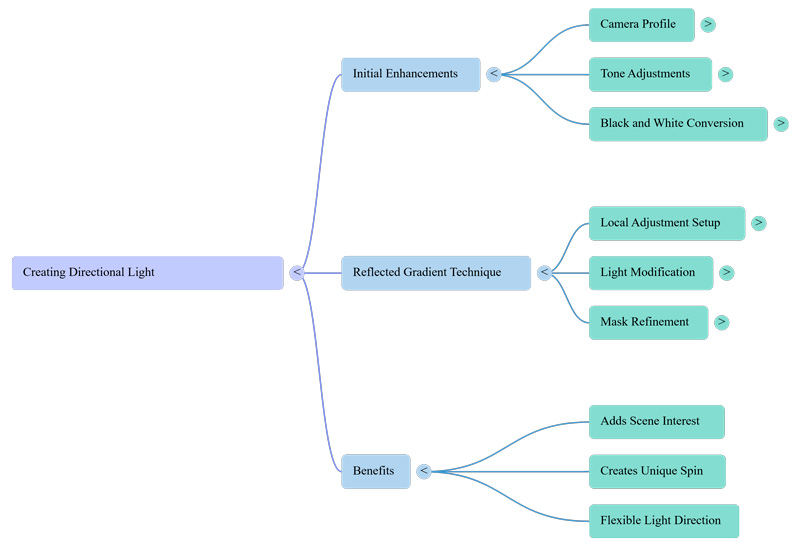
This tutorial demonstrates how to use ON1 Photo RAW to create directional light using reflected gradients (the principles apply to most any app supporting such) to enhance dull images by creating directional lighting.
The process begins with preliminary adjustments to tone and contrast, followed by a conversion to black and white to better focus the viewer’s attention on texture. To achieve the lighting effect, Dylan applies a reflected gradient mask within the local adjustments menu, which creates a focused path of light between two darkened areas.
By rotating and feathering the gradient, editors can simulate a natural light source entering from any angle. This simple technique provides an elegant way to add depth and visual interest to minimalist scenes.
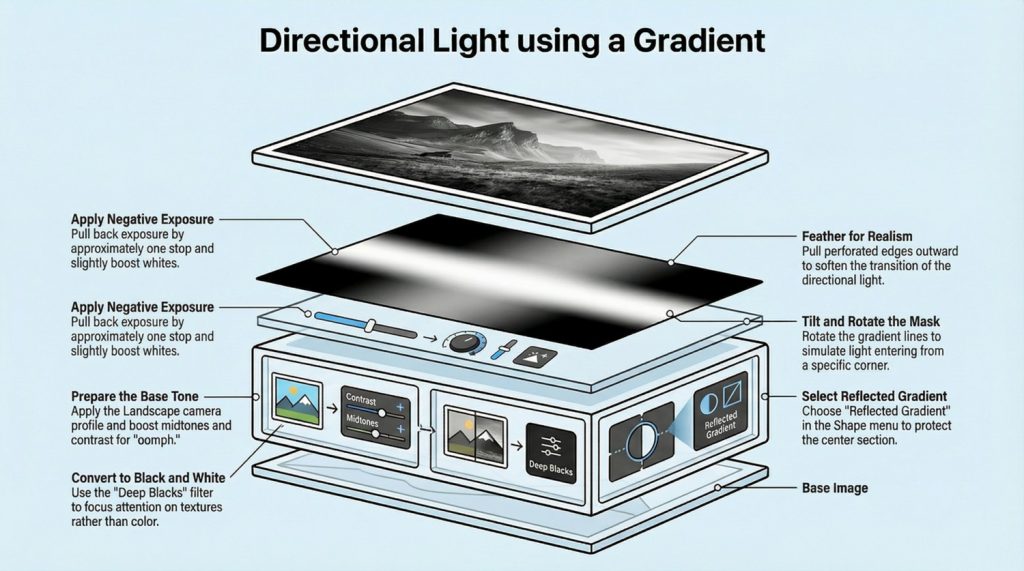
The versatility of the reflected gradient lies in its rotation—tilt and reposition it to find the perfect angle for your specific composition. Revisit any “dull” photos in your archives – what could strategic directional light reveal in your work ?