
DON’T FORGET – ALL our apps will run on Chromebook Plus, are totally secure, require NO SIGN UP and have no ‘hidden’ subscriptions or paid upgrades. This is the third ‘Month in Review’ and we’ve split it into sections so you can quickly get an overview and ‘drill down’ from there, as always feedback is welcomed. (Thanks for all we’ve received so far.)

This month we launched ::
Our AI prompt manager As managing a growing library of prompts shouldn’t feel like a chore. The LumaticLAB Prompt Manager, a sleek, browser-based organizer is designed to keep your creative AI prompts structured and secure. Running entirely offline in your desktop browser, this tool requires no database setup. It also includes many prompts that will help you get started.
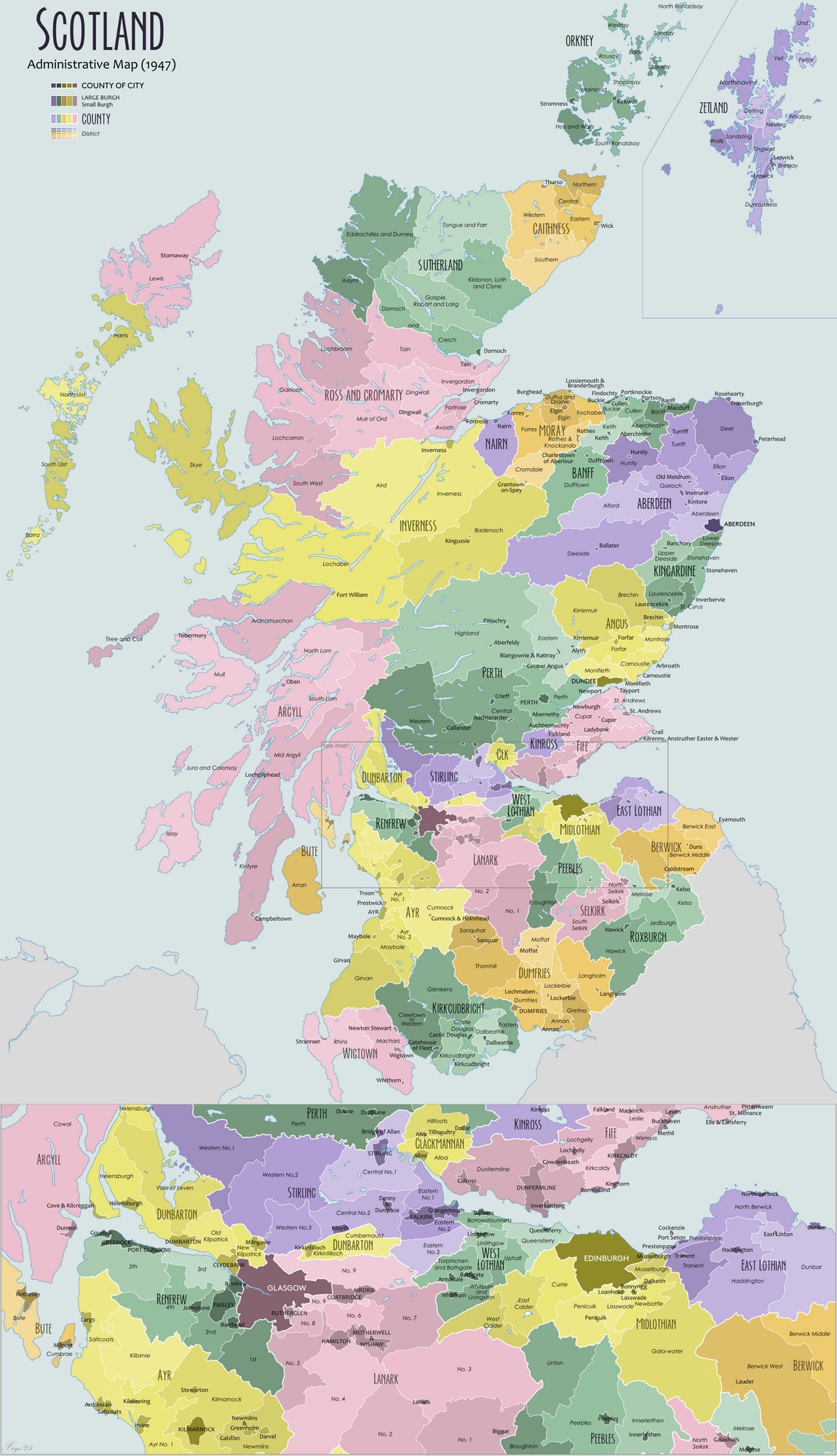
Our second new new series – Scottish Photo Locations. This one is in conjunction with our sister site Alness photo.com. The aim of the series is to create a series of Location and Natural Information Sheets that visitors and photographers can download and keep for reference. They are based on the old ‘counties’ of Scotland, as the current divisions are so large as to be unmanageable for the aims of our projects. As there were 33 ‘counties’ historically (see here for a map), we’ll use a number of pages for each ‘county’ so any page does not become too long.
More apps, more LumaticLab Prototypes, and some additional LUTs including more Sepia and Blue tinting.
we have also upgraded :
Image Analyst – Image Analyst is a FREE browser-based diagnostic tool designed by LumaticLAB to help photographers identify technical flaws without altering the original file. An interactive version providing ‘live’ updates as edits are made, will be incorporated into the next release of the Image Sculptor and Mono Sculptor.
LumaticLAB – LUT/CSV Evaluator – Committing to colour transforms without validation is a technical gamble that disrupts professional pipelines. The LUT / CSV Evaluator provides the instant, offline environment needed to verify looks before they reach your workflow.
LUMATIC LAB: Convert ACV to LUT – convert Adobe curve files (.ACV) into standard 3D LUTs (.CUBE) with consistent, hardware-independent results. The application is aimed at photographers, editors and small creative teams who need a reliable way to move tonal adjustments between platforms without variation.
B & W Lite is a streamlined, offline image processing FOUNDATION tool designed to help beginners understand how to convert photographs into monochrome masterpieces using a precise, unified transformation engine. The provided documentation (in ZIP Format) details the application’s user interface layout, operational workflows, and technical specifications
NEW RELEASES
Infographics Our infographics offer clear, documented lists of best practices / issues / affects and environmental codes to advise your workflow and elevate your craft. The documented frameworks guide us on how to protect wildlife, respect local communities, prevent environmental disturbance, and leave no trace.
In-Depth Articles
Masking & Intersecting Masks– There are two sets of prototype explanatory documents, the first deals purely with the masking element; the second adds the intersecting masks. A lot of the work on the latter followed on from a video by Scott Davenport on Intersect Masking
20 Post- Processing Mistakes – Here are the top 20 post-processing mistakes grouped logically into workflow categories. Available as a Infographic that can be downloaded and printed.
20 Mobile phone best practices. – Improving your phone camera photography comes down to mastering these best practices. Available as a Infographic that can be downloaded and printed.
Photoshop Filters & Presets as of the desktop version available on 13 August 2026. A 44-entry Photoshop desktop reference covering core filters, filter families, Neural Filters and Preset systems. Available as a list and an Infographic for downloading and / or printing.
ON1 Effects 2026 Filter Table – In ON1 Effects 2026, the 37 stackable editing filters are organized into four primary tool groups (categories) inside the streamlined Add Filter window: Essentials, Creative, Landscape, and Legacy. Available as a list and an Infographic that can be downloaded and printed.
Discussion or Process Papers :
Colour Management v Colour Grading – each serving distinct purposes and employing different techniques.
Photoshop And Lightroom To Diverge ? – For years, enthusiast and amateur photo – editors have viewed Adobe Lightroom and Photoshop as two sides of the same coin – will it stay that way?
The fallacy of RAW Pt1 and The fallacy of RAW Pt2 – RAW files are flexible BUT NOT fool proof. The danger is that flexibility can be mistaken for immunity and/or permission to be careless.
Blend Modes Pt 1, Blend Modes Pt 2 – 5 for 80% and Blend Modes Pt 3 introducing – The Blend LAB App
Photo-editing goes all-in AI – By the end of the decade, the concept of opening a dedicated desktop application to manually crop, brush, or mask a photo for personal or social media use will likely be viewed as an outdated workflow. Traditional editing suites will remain anchored in enterprise and professional markets, but non-professional image editing will be entirely agentic (AI) and conversational.
Survey : – Free Mobile Phone Image Editors – A summary of mobile photo editing apps that offer genuine value without hidden subscriptions, watermarking exports, or blocking basic features behind immediate paywalls.
HOW TO :: – ON 1 – Sky Swap – ON1 Sky Swap AI eliminates the users memory block using machine learning and curated 8K UHD aerial imagery from OcuDrone.