Future mainstream photo editing – Pt 1

The rapid expansion of generative AI is fundamentally altering the creative industries, offering powerful tools for automated content production while triggering significant ethical and legal debates. Professional designers and photographers are increasingly looking to streamline workflows, yet many face substantial income loss and concerns regarding artistic authenticity. Current research highlights the emergence of prompt engineering as a vital skill, though achieving[…]

Read more

Photoshop 2026

Introduction The 2026 updates to Adobe Photoshop significantly expand traditional image editing capabilities by integrating advanced AI models directly into standard retouching workflows, introducing non-destructive adjustment layers previously reserved for raw processing, and automating complex compositing tasks. These features are designed to streamline professional workflows, offering greater precision and control[…]

Read more

ON1 Fix Bad Lighting – DK

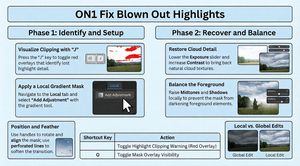
https://youtu.be/PILEl15awTI The following builds on our previous post to provide a higher level overview of the tutorial for On1 Photo RAW 2026 that focuses on the depth lighting filter, a tool designed to fix backlit portraits by separating the foreground from the background. This feature allows editors to selectively brighten the subject and adjust colour temperature for a[…]

Read more
Morganti logo

Topaz Labs Sharpen in Photoshop – AM

https://youtu.be/O_W8NDNu75s In his video, Anthony Morganti introduces and demonstrates Topaz Labs Sharpen integrated into Photoshop. This tool uses Adobe’s generative AI technology but requires premium generative credits to operate. Anthony explains how the tool works, its credit cost based on image size, practical usage tips, and compares it with traditional sharpening techniques[…]

Read more

 AI status icon in LR Classic

https://youtu.be/OZ4BSDXrRH8 In her tutorial, Julieanne Kost introduces the AI status icon in Lightroom Classic, a feature designed to alert photographers when edits are applied in a suboptimal sequence. To avoid the time-consuming process of manually updating calculations, she recommends a specific workflow order starting with Denoise, followed by distraction removal and Generative AI tools. This structured approach ensures that[…]

Read more

Painting with Photoshop -JK

https://youtu.be/6Ealkbzfud0 Summary Julianne Kost provides 10 essential tips for efficiently using Photoshop’s painting tools, focusing on brush size, hardness, cursor options, tool switching, and advanced eraser functionalities. She explains how to quickly adjust brush attributes via keyboard shortcuts and HUD controls, customize cursor visibility for precision, and maintain brush settings[…]

Read more

ON 1 Sky Swap – DK

https://youtu.be/k3XpIPaFT4Y Summary This video tutorial demonstrates how to enhance landscape photographs with dull skies by using the Sky Swap AI feature in On1 Photo RAW. Dylan walks viewers through a simple process to replace boring, overcast skies with dramatic, stormy skies. Starting with basic image adjustments such as contrast and[…]

Read more

Beginners Guide – Tone & Contrast – Part 2

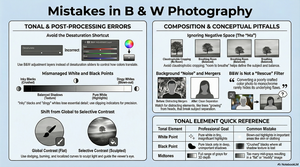
Understanding tone and contrast is fundamental to creating compelling black and white photography, as these elements replace color to provide structure, mood, drama, and visual interest. The Enhancement Provided by Tone Tone refers to the lightness or darkness of an element, regardless of its original color. Black and white photographs rely purely on tone.[…]

Read more

Photo Basics

Many photographers experience the frustration of a beautiful scene resulting in a flat or messy photo. This disconnect is often due to poor composition, the art of guiding the viewer’s eye through the frame. Moving beyond the foundational “Big Three” rules (focal point, leading lines, and framing), this article offers[…]

Read more
Scott Davenport

Banish the Blues – Remove Color Casts in ON1 – SD

https://youtu.be/Xq7IW1SziXI Summary Landscape photographers often encounter blue color casts in their outdoor photos, primarily due to natural elements like the sky or atmospheric conditions such as overcast, blue hour, or haze. These blue casts can detract from the image’s overall appeal. Solution Using ON1 Effects Scott Davenport’s approach involves utilizing[…]

Read more

ON1 – Vibrant Photo Editing

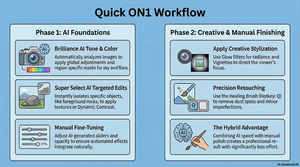
Key Objectives https://www.youtube.com/watch?v=UKg5tnTcmb0&t=220 To create a vibrant photo focus on enhancing colors and details. Use tools like ON1 Photo RAW’s Color Enhancer and Edit Color filters to boost specific colors. For a more dynamic look, incorporate dynamic contrast to bring out textures. Targeted adjustments, like using masks and layers, allow for precise control over[…]

Read more